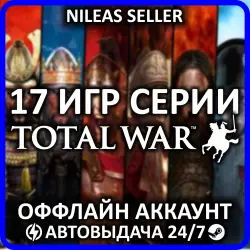
17 IN 1 | TOTAL WAR: SHOGUN 2 - COMPLETE EDITION + 16 GAMES SERIES | STEAM | OFFLINE
Important notice
Any third-party trademarks, brand names, and product names referenced on this website are used solely to identify the relevant goods/services and, where applicable, to indicate intended purpose or compatibility. No affiliation, authorization, sponsorship, or endorsement by the trademark owners is implied unless expressly stated.
About the product
📦Offline account - is an account that has access to a licensed game designed for playing in offline mode.
👨👨Shared account - is an account that is used by multiple users.
💎Why beneficial?💎
◽🌍Play from Any Country.
◽💰Access to a licensed game at a low price.
◽⏳Your game progress is saved only for you.
◽🚀Instant receipt of account data.
◽🤝90-day guarantee for access to the game(s).
◽🔄Freely switch between accounts.
🎮Games on the Account:
1. Rome: Total War™ - Collection (2004);
2. Rome: Total War™ - Alexander (2006);
3. Total War: ROME REMASTERED;
4. Total War: ROME II - Ultimate Edition;
5. SHOGUN: Total War™ - Collection (2000);
6. Total War: SHOGUN 2 Collection (2011);
7. Total War: SHOGUN 2 - Complete Edition (2026);
8. Total War: THREE KINGDOMS COLLECTION;
9. A Total War Saga: TROY - Ultimate Edition;
10. Total War: PHARAOH;
11. Total War: PHARAOH DYNASTIES;
12. Medieval: Total War™ - Collection (2002);
13. Total War: Medieval II - Definitive Edition;
14. Total War: Attila Collection;
15. A Total War Saga: THRONES OF BRITANNIA;
16. Total War: EMPIRE - Definitive Edition;
17. Total War: NAPOLEON - Definitive Edition.
📦After Purchase, You Receive:
1. Steam account login and password.
2. Steam Guard code (issued automatically upon command).
3. Instructions for offline activation.
4. A discount promo code for future purchases.
5. Support from the seller from 10:00 to 22:00 GMT+3.
📜Terms of Use:
- You can only play in offline mode; you are allowed to go online only for the first launch, downloading, and updating of games.
- Before purchasing, make sure your computer meets the game’s minimum system requirements. The account is not suitable for cloud gaming (GFN, etc.).
- The account data cannot be changed. Adding friends and using social features is not possible. Sharing data with third parties is prohibited.
- Refunds are not possible after receiving the account data.
🧾Game Activation:
1. Log into the Steam account and download the game from your library.
2. Disable the following settings in Steam: Remote Play and Steam Cloud.
3. Launch the game, reach the main menu, and then close it completely.
4. Switch to Offline Mode (Top-left corner → Steam → Go Offline...).
5. Launch the game and enjoy!
 Top up
 Games
Games Discounts 90%
 AI
AI Windows
 Subsctiptions
 New Games
 Mobile Games