
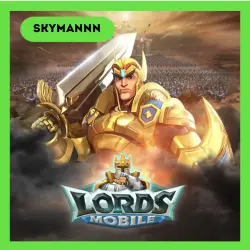
24/7 AUTO ID | LORDS MOBILE DIAMONDS TOP UP BY ID
Important notice
Any third-party trademarks, brand names, and product names referenced on this website are used solely to identify the relevant goods/services and, where applicable, to indicate intended purpose or compatibility. No affiliation, authorization, sponsorship, or endorsement by the trademark owners is implied unless expressly stated.
About the product
🖤Our store offers instant 24/7 Diamond top-ups using your User ID for the game 🔋LORDS MOBILE!
Top-ups available for ANY REGION 🌎
⭐Our advantages:
🟢 24/7 AUTOMATIC DELIVERY
🟢 Any region!
🟢 Lowest price on the market!
🟢 Very fast order fulfillment!
🟢 Constant PROMOTIONS AND DISCOUNTS for our customers!
————— ⭐PRODUCT PURCHASE PROCEDURE⭐—————
🎮 Select the desired top-up denomination
🎮 Enter your User ID
🎮 Pay for the item using your preferred payment method
🎮 Wait for our notification that your order is ready and will be credited to your account!
❤️ Please leave a positive review, we will be very grateful.
❗IMPORTANT INFORMATION❗
📌 Please read the product description carefully before purchasing. We do not sell top-up codes for LORDS MOBILE in this product card. We provide a service for adding currency to your account using your Player ID.
📌 Top-up activation for LORDS MOBILE is possible in any country, including the Russian Federation!🌍
📌 Please be sure to enter the correct account ID when purchasing.
📌 Orders are accepted and fulfilled automatically 24/7.
📌 Our support team responds from 9:00 AM to 11:00 PM Moscow time.
📌 The time it takes for your currency to be credited depends on the game server load.
Diamonds are the currency in Lords Mobile; they can be used to purchase in-game packs. Diamonds will be used primarily for purchasing in-game packs.
How do I find my User ID?
1. Log in to Lords Mobile using your account.
2. Tap the "Settings" icon (gear) in the lower right corner of the screen.
3. Select "Account" in the menu that appears.
4. Your IGG ID will be displayed on this page.
 Top up
 Games
Games Discounts 90%
 AI
AI Windows
 Subsctiptions
 New Games
 CS2 Market
 Mobile Games