


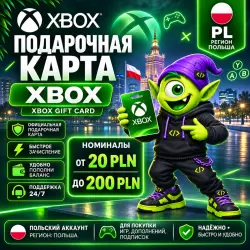
24/7 XBOX GIFT CARD POLAND | 20 - 200 PLN | XBOX PL | CODE AUTO DELIVERY
Important notice
Any third-party trademarks, brand names, and product names referenced on this website are used solely to identify the relevant goods/services and, where applicable, to indicate intended purpose or compatibility. No affiliation, authorization, sponsorship, or endorsement by the trademark owners is implied unless expressly stated.
About the product
🎮 BUY XBOX GIFT CARD POLAND 🇵🇱 | XBOX STORE PLN FROM KOD KODYCH!
⚡ Instant automatic delivery 24/7
🔒 Secure purchase
💳 Xbox / Microsoft Store Gift Card
🇵🇱 Top up your balance in Polish Zloty (PLN)
🎮 Perfect for games, DLC and digital purchases in Microsoft Store
🇵🇱 XBOX GIFT CARD POLAND allows you to add funds to your Microsoft/Xbox account registered in Poland and purchase:
✅ Xbox Series X|S and Xbox One games
✅ Add-ons and DLC
✅ In-game currency
✅ Upcoming game pre-orders
✅ Apps and digital content
✅ Eligible products and services from Microsoft Store
🎁 After payment, you will receive a unique 25-character redemption code with instant automatic delivery.
💚 Top up your Xbox Store wallet in PLN and enjoy your favorite games!
✅ AN EASY WAY TO TOP UP YOUR XBOX STORE POLAND WALLET!
🇵🇱 WHICH REGION IS SUPPORTED?
This gift card is intended exclusively for Microsoft/Xbox accounts registered in POLAND (PL).
💰 Wallet currency: PLN — Polish Zloty (zł).
🔹 Before purchasing, make sure your Microsoft/Xbox account region is set to Poland.
🔹 Once redeemed, the funds will be added to your Microsoft account balance and can be used for eligible purchases in Xbox Store and Microsoft Store Poland.
❗ This code is not intended for redemption in other regions.
🎁 WHAT WILL YOU RECEIVE?
✔ Digital Xbox Gift Card code for Poland
✔ Microsoft Store wallet funds in PLN
✔ Instant automatic delivery after payment
✔ Kod Kodych customer support if you need assistance
🚀 HOW TO REDEEM YOUR XBOX GIFT CARD
🎮 On Xbox Series X|S or Xbox One
1. Sign in to your Xbox account.
2. Open Microsoft Store.
3. Select "Redeem".
4. Enter your 25-character code.
5. Follow the on-screen instructions.
🌐 Via Web Browser
1. Visit:
https://redeem.microsoft.com
2. Sign in to your Microsoft account.
3. Enter your 25-character code.
4. Confirm redemption.
💻 Via Windows 10/11
1. Open Microsoft Store.
2. Click your profile icon.
3. Select "Redeem code or gift cards".
4. Enter your 25-character code.
5. Follow the on-screen instructions.
💚 After successful redemption, your balance will be available for eligible purchases in Microsoft Store Poland.
⚠️ IMPORTANT BEFORE PURCHASE
🇵🇱 Region: POLAND (PL).
💰 Currency: PLN — Polish Zloty.
🔑 Product type: digital Xbox Gift Card redemption code.
❗ This code is intended for the Poland region only.
❗ Make sure your Microsoft/Xbox account region is set to Poland before purchasing.
❗ Each code can only be redeemed once.
❗ Using gift card funds to purchase Xbox Game Pass subscriptions depends on Microsoft's policies and the specific subscription offer. An additional payment method may be required.
❗ Not all digital products or subscriptions can be purchased using gift card balance.
❗ Once redeemed, the funds are linked to the corresponding Microsoft account.
🔒 REFUNDS AND REPLACEMENTS
If you experience an issue with the code caused by an error on our side, contact our support team. We will investigate and provide a solution according to the applicable terms and laws.
👾🎮 Kod Kodych — digital products without the hassle! 💚
How do I get a code? 🤔
After payment, click "Receive item" in the email or on the purchase page. You'll then be taken to a page with a unique code. 🎉There's no need to send the unique code to the seller via chat.
Sincerely, the Code Kodycha team 💜
We help you get your favorite services quickly, securely, and hassle-free 🚀
 Top up
 Games
 Steam Sales
 AI
 Subscriptions
 Windows
 New Games
 Mobile Games