
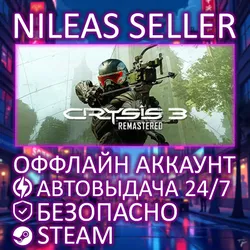
3 IN 1 | CRYSIS 3+1+2 REMASTERED | STEAM | OFFLINE
Important notice
Any third-party trademarks, brand names, and product names referenced on this website are used solely to identify the relevant goods/services and, where applicable, to indicate intended purpose or compatibility. No affiliation, authorization, sponsorship, or endorsement by the trademark owners is implied unless expressly stated.
About the product
📦Offline Account — is a Steam account with a licensed game that is used exclusively in offline mode.
👨👨Shared Account — is a Steam account that can be used by multiple users simultaneously.
💎Why is it beneficial?💎
◽🌍Play from Any Country.
◽💰Access to a licensed game at a low price.
◽⏳Your game progress is saved only for you.
◽🚀Instant receipt of account data.
◽🤝90-day guarantee for access to the game(s).
◽🔄Freely switch between accounts.
🎮Games on the Account:
1. Crysis 1 Remastered;
2. Crysis 2 Remastered;
3. Crysis 3 Remastered.
📦After Purchase, You Receive:
1. Steam account login and password.
2. Steam Guard code (issued automatically).
3. Instructions for offline activation.
4. A discount promo code for future purchases.
5. Support that answers questions and helps solve problems related to the account daily from 🕙7:00 to 🕚20:00 GMT+3 for ⏳5-60 minutes.
🔐Receiving the Steam Guard Code:
To log into account, you’ll need a Steam Guard code. To get it:
1. Go to the private chat with the seller (on the order page).
2. Send a message to the seller in the following format:
!guard login (replace "login" with the one you received).
⚠️The bot generates a code automatically, once.
📜Terms of Use:
- Play is only allowed in offline mode. Connecting to the network is permitted only for the initial launch, downloading, and updating games. One purchase grants access to the account for use on a single computer only.
- Before purchasing, ensure your computer meets the minimum system requirements for the game. The account is not suitable for cloud gaming services (GFN, Playkey, etc.).
- It is impossible to change the login credentials. Adding friends and using social features is not possible. Transferring data to third parties is prohibited.
- Refunds are not possible after receiving the account data.
🧾Game Activation:
1. Log into the Steam account and download the game from your library.
2. Disable the following settings in Steam: Remote Play and Steam Cloud.
3. Launch the game, reach the main menu, and then close it completely.
4. Switch to Offline Mode (Top-left corner → Steam → Go Offline...).
5. Launch the game and enjoy!
 Top up
 Games
Games Discounts 90%
 AI
AI Windows
 Subsctiptions
 New Games
 Mobile Games