
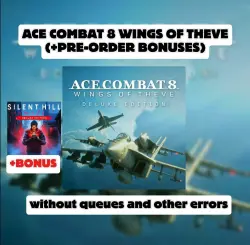
ACE COMBAT 8: WINGS OF THEVE DELUXE EDITION + Silent Hill: Townfall NO QUEUES
Important notice
Any third-party trademarks, brand names, and product names referenced on this website are used solely to identify the relevant goods/services and, where applicable, to indicate intended purpose or compatibility. No affiliation, authorization, sponsorship, or endorsement by the trademark owners is implied unless expressly stated.
❗❗❗NO LINES, YOU CAN START THE GAME WITHOUT ANY PROBLEMS❗❗❗
🔴The ability to update the game at any time that suits you
🌍The game works in all countries, including Russia!🌍
⭐️By purchasing this product, you get a Steam account with the game
🔴ACE COMBAT 8: WINGS OF THEVE DELUXE EDITION + Silent Hill: Townfall DELUXE EDITION for offline play
☘️ You activate the game yourself, no need to wait for the seller’s response! No third‑party programs!
🔥 After the purchase, you will immediately receive: Login:Password for the Steam account with the game.
🔶 What is included in the DELUXE EDITION:
The Deluxe edition contains:
— ACE COMBAT 8: WINGS OF THEVE
— A set of customizable accessories
— A PREMIUM ACE PASS PLUS coupon
◾ — An account for offline use only.
- Before purchasing, be sure to familiarize yourself with the game’s system requirements; if your PC does not meet the minimum requirements, this is not a reason for a refund!
- Any changes to account data are prohibited.
✅ADDITIONAL INFORMATION✅
1) Switching accounts (from my account to yours and vice versa) is done without issuing a code, i.e., you will always be able to return to the account with the game;
2) A guarantee for resolving technical issues faced by users;
3) Activation is carried out without third‑party programs;
4) The ability to update Windows or change components.
5) You can update the game.
Step-by-step instructions
1️⃣Log in to your Steamt account. (check the box "Remember my password" when logging in)
2️⃣. Download the game (if “Install” is replaced with “Stream,” click the arrow to the right of “Stream” and select “This PC,” after which you’ll have the option to install).
2️⃣.(1) Disable Steam Cloud: click on Steam ➡️ Settings in the top‑left corner; look for “Cloud” at the bottom and disable it.
3️⃣. Go into the game until you reach the menu (launch the game, get to the main menu, and exit the game completely).
4️⃣. Switch to offline mode:In the Steam settings (in the top‑left corner), click on “Go offline mode”.
6️⃣. Offline activation is ready, you can play.
 Top up
 Games
Games Discounts 90%
 AI
AI Windows
 Subsctiptions
 New Games
 Mobile Games