
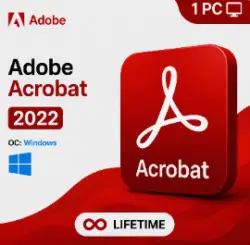
Adobe Acrobat Pro DC 2022 — Lifetime License
Important notice
Any third-party trademarks, brand names, and product names referenced on this website are used solely to identify the relevant goods/services and, where applicable, to indicate intended purpose or compatibility. No affiliation, authorization, sponsorship, or endorsement by the trademark owners is implied unless expressly stated.
# 🔴 Adobe Acrobat Pro DC 2022 — Lifetime License
📄 **Professional PDF Software | Windows PC**
━━━━━━━━━━━━━━━━━━━━
## ✅ PRODUCT FEATURES
🔹 **License:** Perpetual / Lifetime
🔹 **Operating System:** Windows 10 / 11
🔹 **Activation:** Offline Activation
🔹 **Adobe Account:** Not Required
🔹 **Delivery:** Instant Digital Delivery After Payment
🔹 **Purchase Type:** One-Time Payment
🔹 **Software:** Adobe Acrobat Pro DC 2022
━━━━━━━━━━━━━━━━━━━━
## 🌐 SUPPORTED LANGUAGES
English • Chinese • Czech • Danish • Dutch • Finnish • French • German • Hungarian • Italian • Japanese • Korean • Norwegian • Polish • Portuguese • Spanish
━━━━━━━━━━━━━━━━━━━━
## ⚙️ HOW TO CHANGE THE LANGUAGE
**Method 1 — Modify Installation**
1. Open Control Panel.
2. Go to Programs and Features.
3. Select Adobe Acrobat and click Change.
4. Choose Modify, then click Next.
5. Expand Languages and select your preferred language.
6. Click Install to apply the changes.
**Method 2 — Preferences Menu**
1. Open Adobe Acrobat.
2. Go to Edit → Preferences or press Ctrl + K.
3. Select Language.
4. Choose your preferred language or select the option to choose at startup.
5. Restart the application.
━━━━━━━━━━━━━━━━━━━━
🛒 **TRUST-STORE-03 | Digital Software Store**

 Top up
 Games
Games Discounts 90%
 AI
AI Windows
 Subsctiptions
 New Games
 Mobile Games