
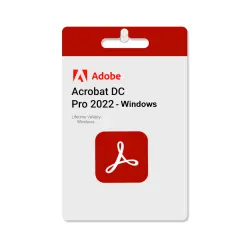
Adobe Acrobat Pro DC 2022 Perpetual License
Important notice
Any third-party trademarks, brand names, and product names referenced on this website are used solely to identify the relevant goods/services and, where applicable, to indicate intended purpose or compatibility. No affiliation, authorization, sponsorship, or endorsement by the trademark owners is implied unless expressly stated.
Adobe Acrobat Pro DC 2022 is the professional industry standard for viewing, creating, and managing PDF documents without the burden of a monthly subscription. This version provides a reliable, perpetual solution for users who prefer a one-time purchase over recurring costs.
✅This version works offline and does not require an Adobe account. One-time purchase with license key activation + Official Program.
🔷Official program (Offline Activation )
🔷 License Type: Perpetual / Lifetime for Windows Only
🔷 Platform: Windows 11,10,7
🔷 Instant Digital Delivery After Payment
🔷Language support: English, Chinese, Czech, Danish, Dutch, Finnish, French, German, Hungarian, Italian, Japanese, Korean, Norwegian, Polish, Portuguese, Spanish
✅bulk purchase also available with discounts up to 60% depending on the product.
How to Change Language in Adobe Acrobat Pro DC 2022
If you need to acquire a different language interface, use one of the following methods:
Method 1: Modify Installation (Recommended)
🔷Open the Control Panel and go to Programs and Features.
🔷Select Adobe Acrobat 2020 and click Change.
🔷Choose Modify and click Next.
🔷Expand the Languages option and select the desired language to install.
🔷Select "This feature will be installed on the local hard drive" and click Install.
Method 2: Preferences Menu
Open Adobe Acrobat.
🔷Go to Edit > Preferences (or press Ctrl+K).
🔷Select Language from the categories.
🔷Under "Application Language," choose "Choose at application startup" or select a specific language from the dropdown menu.
🔷Restart Acrobat to obtain the new language settings.
![[US] USA Apple ID • 6 Months Old • Solo Access • App Store Ready • No 2FA](https://img.ggsel.net/102276701/original/250x250/2276700-1642279-7b85550736b6dbc88c01c1c4c7b28864.webp)