
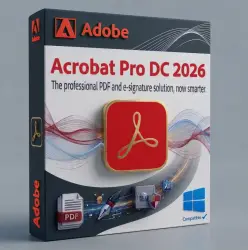
Adobe Acrobat Pro DC 2026 Perpetual license key (Global)
Important notice
Any third-party trademarks, brand names, and product names referenced on this website are used solely to identify the relevant goods/services and, where applicable, to indicate intended purpose or compatibility. No affiliation, authorization, sponsorship, or endorsement by the trademark owners is implied unless expressly stated.
📌 Please note: This license is not for resale. It is a commercial license intended for a single user and a single Windows device. Attempting to use one license to activate multiple devices will result in the license being blocked; in such cases, no exchanges or refunds will be provided.
📌 We guarantee our valued customers that we do not sell duplicate keys or invalid keys, and that the product matches its description exactly.👇
⭕This is Perpetual license not a subscription, only works with Acrobat Pro DC 2026 for 'windows' ( It does not work with Adobe Cloud or macOS )
🔥Official adobe download link for Acrobat Pro DC 2026 app provided with the order.🔥
🔥Includes updates. However, we are not responsible for any future changes made by the developers regarding their update policy or product support."
🟩 License Type: Perpetual / Lifetime for Windows 11,10 (64-bit) With the latest update only.
✅Download Acrobat Pro DC 2026 from official adobe link provided with the order. for Windows
✅ Activate the received serial.
✅An example of a serial number: XXXX-XXXX-XXXX-XXXX-XXXX-XXXX
🔷Instant Digital Delivery After Payment
🔷Language support: English, Chinese, Czech, Danish, Russian, French, German, Hungarian, Italian, Japanese, Korean, Norwegian, Polish, Portuguese, Spanish, Swedish, Ukrainian
How to Change Language in Adobe Acrobat Pro DC 2026
If you need to acquire a different language interface, use one of the following methods:
Method 1: Modify Installation (Recommended)
🔷Open the Control Panel and go to Programs and Features.
🔷Select Adobe Acrobat DC 2026 and click Change.
🔷Choose Modify and click Next.
🔷Expand the Languages option and select the desired language to install.
🔷Select "This feature will be installed on the local hard drive" and click Install.
Method 2: Preferences Menu
Open Adobe Acrobat.
🔷Go to Edit and Preferences (or press Ctrl+K).
🔷Select Language from the categories.
🔷Under "Application Language," choose "Choose at application startup" or select a specific language from the dropdown menu.
🔷Restart Acrobat to obtain the new language settings.
 Top up
 Games
Games Discounts 90%
 AI
AI Windows
 Subsctiptions
 New Games
 Mobile Games