
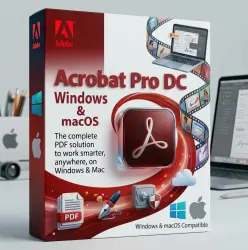
Adobe Acrobat Pro DC Windows | macOS Activation Key (Global)
Important notice
Any third-party trademarks, brand names, and product names referenced on this website are used solely to identify the relevant goods/services and, where applicable, to indicate intended purpose or compatibility. No affiliation, authorization, sponsorship, or endorsement by the trademark owners is implied unless expressly stated.
About the product
📌Refunded not available if you purchase a license for a different system by mistake.
📌We guarantee that we do not sell duplicate or Invalid keys, and matches the description.👇
⭕ An internet connection is required to activate the license and install the software.
⭕This is Perpetual license not a subscription, only works with Acrobat Pro DC 2025 (windows) or Acrobat Pro DC 2023 (macOS) ( It does not work with Adobe Cloud or other versions )
⭕️On macOS During acrobat installation, you need to install Adobe Genuine Service.
🔷Official program provided with the order.
🟩 License Type (windows): Acrobat Pro DC 2025 Perpetual / Lifetime for Windows 10 (64-bit) version 22H2
🔷 License Type (macOS): Acrobat Pro DC 2023 Perpetual / Lifetime for macOS (64-bit) Sonoma12 or higher, Intel processor or Apple Silicon (M1, M2, M3, M4)
✅Download the official program provided with the order. for Windows or macOS ''It depends on the system for which you purchased the license'.
✅ Activate the received serial.
✅An example of a serial number: XXXX-XXXX-XXXX-XXXX-XXXX-XXXX
✅ on macOS you might need to enable ''Developer mode'', or grant the necessary permission to proceed with the installation.
🔷Instant Digital Delivery After Payment
🔷Language support: English support Arabic, Chinese, Czech, Danish, English, Russian, French, German, Hungarian, Italian, Japanese, Korean, Norwegian, Polish, Portuguese, Spanish, Swedish, Ukrainian
How to Change Language in Adobe Acrobat Pro DC 2025
If you need to acquire a different language interface, use one of the following methods:
Method 1: Modify Installation (Recommended)
🔷Open the Control Panel and go to Programs and Features.
🔷Select Adobe Acrobat DC 2025 and click Change.
🔷Choose Modify and click Next.
🔷Expand the Languages option and select the desired language to install.
🔷Select "This feature will be installed on the local hard drive" and click Install.
Method 2: Preferences Menu
Open Adobe Acrobat.
🔷Go to Edit > Preferences (or press Ctrl+K).
🔷Select Language from the categories.
🔷Under "Application Language," choose "Choose at application startup" or select a specific language from the dropdown menu.
🔷Restart Acrobat to obtain the new language settings.

 Top up
 Games
Games Discounts 90%
 AI
AI Windows
 Subsctiptions
 New Games
 Mobile Games