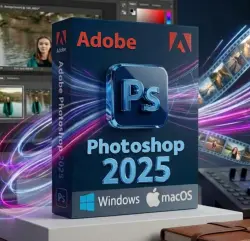
Adobe Photoshop 2025 Windows | macOS Activation key (Global)
Important notice
Any third-party trademarks, brand names, and product names referenced on this website are used solely to identify the relevant goods/services and, where applicable, to indicate intended purpose or compatibility. No affiliation, authorization, sponsorship, or endorsement by the trademark owners is implied unless expressly stated.
About the product
📌Refunded not available if you purchase a license for a different system by mistake.
📌We guarantee that we do not sell duplicate or Invalid keys, and matches the description.👇
Adobe Photoshop 2025 for Windows or macOS is the world's most capable image editing software, with mind-blowing AI effects, strong collaboration features, and unmatched auto-selection tools, all in a helpful and polished interface
⭕Adobe Photoshop 2025 Lifetime key for Windows 10 (64-bit) version 22H2 or later / Windows 11 only or macOS Sonoma14.6.1 or higher
⭕ An internet connection is required to activate the license and install the software.
⭕Adobe Photoshop 2025 requires 'Adobe Cloud services' installed on your device (No subscription required).
Here is the official download link: https://www.adobe.com/download/creative-cloud
Lifetime key, only works with Adobe Photoshop 2025 ( It does not work with Adobe Cloud or other versions )
🔸Generative Fill not include
🔸Firefly generative AI not include
🔸Updating to the latest version not include
✔To download the official software and activate the license, follow these steps.
1- You need to have Adobe Creative Cloud services installed on your device, if it is already installed, skip this step.
2- Download the official program provided with the order. for Windows or macOS ''It depends on the system for which you purchased the license'.
3- Activate the received serial.
✅An example of a serial number: XXXX-XXXX-XXXX-XXXX-XXXX-XXXX
✅ You might need to enable ''Developer mode'' on macOS.
🔷 License Type: Lifetime key for Adobe Photoshop 2025 only
🔷 Platform: Windows 10 (64-bit) version 22H2 or later / Windows 11 only
🔷 Platform: Recommended macOS Sonoma14.6.1 or higher Multicore Intel® or Apple Silicon processor (64-bit)📌
Using the software on versions older than those recommended above is at your own risk; no refunds are available. (Note: The software does not work at all on version 12 || it does work on version 13 but as previously stated👉use is at your own risk.)
• RAM (Memory):
• Minimum: 8 GB
• Recommended: 16 GB or more📌
• Hard Disk Space:
• Minimum: 10 GB of available space for installation📌
• Recommended: 100 GB or more (fast internal SSD with a separate scratch disk)
• Graphics (GPU):
• Metal-capable graphics processor
• Minimum VRAM: 1.5 GB📌
• Recommended VRAM: 4 GB or more (especially for 4K displays)📌
• Display Resolution: 1280 x 800 minimum (1920 x 1080 or greater recommended at 100% scaling)
🔷 Instant Digital Delivery After Payment
🔷Language support: Czech, English, Danish, German, Spanish, Finnish, French, Hungarian, Indonesian, Italian, Japanese, Korean, Norwegian, Dutch, Polish, Portuguese, Russian, Swedish, Turkish, Ukrainian, Vietnamese, Chinese
How to change the language in Adobe Photoshop 2025:
1- Go to the top menu bar and click on 'Edit'.
2- Move your cursor down to the bottom of the list and hover over 'Preferences'.
3- From the side menu that appears, click on 'Interface'...
4- A new window will open. Under the Presentation section, look for 'UI Language', select your preferred language from the drop-down menu, and click 'OK'.
4- Restart Photoshop to apply the changes.
 Top up
 Games
Games Discounts 90%
 AI
AI Windows
 Subsctiptions
 New Games
 Mobile Games