
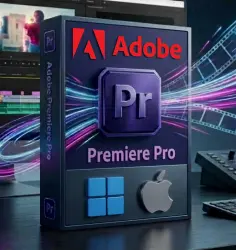
Adobe Premiere Pro Windows | macOS Activation key (Global)
Important notice
Any third-party trademarks, brand names, and product names referenced on this website are used solely to identify the relevant goods/services and, where applicable, to indicate intended purpose or compatibility. No affiliation, authorization, sponsorship, or endorsement by the trademark owners is implied unless expressly stated.
About the product
📌Refunded not available if you purchase a license for a different system by mistake.
📌We guarantee that we do not sell duplicate or Invalid keys, and matches the description.👇
Premiere Pro 2025 Windows | Premiere Pro 2025 macOS Professional Video Editing
is the industry‑leading video editing software designed for filmmakers, broadcasters, YouTubers, and content creators who need professional-grade tools to turn raw footage into flawless productions..
⭕License Type: Perpetual / Premiere Pro 2025 (Windows) or Premiere Pro 2025 (macOS Apple Silicon) or Premiere Pro 2024 (macOS Intel)
⭕ An internet connection is required to activate the license and install the software.
⭕ This is Perpetual license not a subscription, only works with Premiere Pro 2025 Windows or Premiere Pro 2025 (macOS Apple Silicon) or Premiere Pro 2024 (macOS Intel) ( It does not work with Adobe Cloud or other versions )
🔸Generative Fill not include
🔸Firefly generative AI not include
🔸Updating to the latest version not include
✔To download the official software and activate the license, follow these steps.
1- You need to have Adobe Creative Cloud services installed on your device (No subscription required), if it is already installed, skip this step.
2- Download the official program provided with the order. for Windows or macOS ''It depends on the system for which you purchased the license'.
3- Activate the received serial.
✅An example of a serial number: XXXX-XXXX-XXXX-XXXX-XXXX-XXXX
✅ You might need to enable ''Developer mode'' on macOS because the program is not from the Apple Store.
🟢 Premiere Pro 2025 Platform (Windows):
System Requirements
🔹Operating System: Windows 10 (64-bit) version 22H2 or later / Windows 11 only
🔹Processor: Intel 6th Gen or AMD Ryzen 1000 Series CPU (Intel 11th Gen or AMD Ryzen 3000 Series recommended)
🔹RAM: 8 GB minimum (16 GB for HD, 32 GB for 4K or higher recommended)
🔹Graphics Card (GPU): 2 GB of GPU VRAM (4 GB or more recommended)
🔹Storage: Fast internal SSD for app installation and cache
🟢 Premiere Pro 2025 Platform (macOS Apple Silicon):
Minimum Requirements
• Processor: Apple Silicon (M1, M2, etc.)
🟢 Premiere Pro 2024 Platform (macOS Intel):
Intel 6th Gen or newer,
• Operating System: macOS Monterey (version 12) or later
• RAM (Memory): 8 GB RAM (16 GB or more recommended for HD; 32 GB or more for 4K and higher)
• GPU (Graphics): 2 GB of GPU VRAM (4 GB to 6 GB+ recommended)
• Storage: 8 GB of available hard-disk space for installation (fast internal SSD recommended)
• Display: 1920 x 1080 or greater resolution
Recommended Requirements (macOS)
• Processor: Apple Silicon (M-series) or modern Intel processor
• RAM (Memory): 16 GB to 32 GB+ of unified memory or RAM
• GPU (Graphics): 4 GB to 6 GB+ of dedicated GPU memory / VRAM
• Storage: Fast internal SSD for app installation and media cache
🔷 Instant Digital Delivery After Payment
🔷Language support: German, English, Spanish, French, Italian, Japanese, Korean, Portuguese, Russian, Chinese
✅How to change the language in Adobe Premiere Pro 2025:
-Open Adobe Premiere Pro and open a new project.
-Press ALT+F12 or CTRL+F12 on your keyboard (Windows )
-Press Command (⌘) + F12 on your keyboard (macOS)
-Open the menu: Click the three horizontal lines icon next to the word Console.
-Select Database View: Click on ''Debug Database View''.
-Search for Language: Type 'ApplicationLanguage' into the search box.
-Change the language code: Update the text value next to it to your preferred language code:
For English: Type en_US
For Spanish: Type es_ES
For Russian: Type ru_RU
etc..
 Top up
 Games
Games Discounts 90%
 AI
AI Windows
 Subsctiptions
 New Games
 Mobile Games