
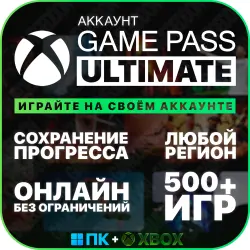
ACCOUNT XBOX GAME PASS ULTIMATE | PC+XBOX | PLAY WITH YOUR OWN ACCOUNT
Important notice
Any third-party trademarks, brand names, and product names referenced on this website are used solely to identify the relevant goods/services and, where applicable, to indicate intended purpose or compatibility. No affiliation, authorization, sponsorship, or endorsement by the trademark owners is implied unless expressly stated.
After payment, you gain access to a SHARED ACCOUNT with an Xbox Game Pass Ultimate subscription to a library of over 500 games. Play on your own account, keeping your progress, and saving all your achievements in the cloud!
✅ What you get:
• Access details for a Microsoft Store shared account with an active subscription
• Detailed activation instructions
• Full support for 3 months
📦 Subscription includes:
• Xbox Game Pass Ultimate for PC and console
• EA Play (available on consoles)
• Ubisoft Classics (available on consoles)
⭐ Key features:
• Works on PC and Xbox with no restrictions
• All achievements and progress are saved to your account
• Play online with friends
• New games are added on release day
• Available in all countries, including Russia, Belarus, and the CIS
🛡️ Warranty and benefits:
• 30-day warranty with 3-mounth full support
• Discount on your next purchase for a positive review
⌛ Business hours: 12:00–24:00 Moscow time
If you write outside of business hours, you will receive a response after 12:00
💻 Activation on PC (Windows 10/11):
The easiest and fastest way to gain access. After purchase, we'll send you detailed step-by-step instructions — the entire process takes no more than 15 minutes and requires no special skills
🎮 Activation on Xbox (Series X and S):
On consoles, the process is technically more complex and requires consistent network and system time settings. We recommend this option for those already familiar with the Screen Time activation method or those willing to figure it out on their own using a third-party video guide. We provide a link to one of these video guides and guide you through every step—if anything goes wrong, we'll be happy to help you via chat
⚠️ Please note: the activation method on Xbox requires precise steps. We recommend purchasing console access only if you already understand how the method works—this reduces the risk of errors during setup
👍 If you have any questions or problems, please contact the seller via private messaging on the platform. We will resolve any issues promptly.
⚙️ Technical limitations:
• The following games may experience instability on PC: Minecraft Dungeons, some EA Play games, Ubisoft, Battle.net
• Cloud services are not supported: GeForce NOW, Xbox Cloud Gaming
🔧 Possible issues and solutions:
• All login issues can be resolved by simply reconnecting and rebooting. Contact the seller — the issue will be resolved. The exception is temporary restrictions on the number of login attempts imposed by Microsoft itself (see below), these are lifted automatically
• Rare game crashes may occur due to the use of a shared account. This is not covered by the warranty
• Online games work, but stability is not always guaranteed. This is a characteristic of using a shared account
ℹ️ Important Information:
• The seller is not responsible for any changes to Microsoft's policy regarding the use of shared accounts
• Refunds are not possible after receiving account information
• If you encounter any issues, please contact the seller before leaving a negative review
• Play from your main account, strictly following the instructions provided
• If you frequently log in to a shared account at the same time, Microsoft may temporarily limit the number of login attempts. This is an automatic temporary limitation imposed by Microsoft, not an account issue. It will resolve on its own (usually within a few minutes to a couple of hours) without any action on our part. This isn't covered by the warranty; you'll just need to wait a bit and try again
⛔ It is strictly prohibited to:
• Transfer or modify third-party data
• Create an old or traditional profile
• Change the regional account or security settings (password, email address, phone number)
• Install the game or log into a profile on more than one console or computer
• Play a transferred profile while in use
• Delete accounts from a computer or console
Violating this rule will result in account access being revoked.

 Top up
 Games
Games Discounts 90%
 AI
AI Windows
 Subsctiptions
 New Games
 Mobile Games