
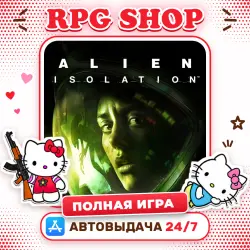
Alien: Isolation FULL AppStore ios iPhone iPad
Important notice
Any third-party trademarks, brand names, and product names referenced on this website are used solely to identify the relevant goods/services and, where applicable, to indicate intended purpose or compatibility. No affiliation, authorization, sponsorship, or endorsement by the trademark owners is implied unless expressly stated.
🎮 A shared App Store account that already owns the full version of “Alien: Isolation”. Download the game to your iPhone or iPad and keep the full version.
📦 WHAT YOU GET
• Apple ID and password on the delivery page right after payment, no waiting for the seller
• Step-by-step sign-in guide
• Verification code in one tap if Apple asks for it
• Works on iPhone and iPad from any country
🛠 HOW TO INSTALL
1️⃣ App Store → avatar in the top right → Sign Out (App Store only, leave iCloud alone)
2️⃣ Sign in with the Apple ID and password you received
3️⃣ Find “Alien: Isolation” and download it
4️⃣ Launch the game. If the full version isn't unlocked, tap Restore Purchases in the game
5️⃣ Make sure the full version is unlocked, then sign out and back in to your own account — the game stays full
📌 GOOD TO KNOW
• Check that “Alien: Isolation” supports your device and iOS version before buying
• The details and codes are available for 3 hours after delivery — download the game and sign out within that time
• Don't delete the game: it can only be downloaded again from this account
🚫 DO NOT
• Sign in to iCloud or Settings → your name with this Apple ID — App Store only
• Change the password, email or any account details
• Make purchases or add your own payment methods
• Share the account details with anyone
Breaking these rules ends access with no replacement or refund.
🛡 WARRANTY
Can't sign in? Message us in the order chat and we'll help or replace the account. No refunds after the details are delivered, only replacement.
 Top up
 Games
 Discounts 90%
 AI
 Windows
 Subsctiptions
 New Games
 Mobile Games