
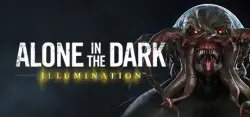
Alone in the Dark: Illumination (STEAM KEY) CIS
Important notice
Any third-party trademarks, brand names, and product names referenced on this website are used solely to identify the relevant goods/services and, where applicable, to indicate intended purpose or compatibility. No affiliation, authorization, sponsorship, or endorsement by the trademark owners is implied unless expressly stated.
Publication Type: Steam Key / RU / UA / KZ / CIS
⚠️ ATTENTION! This product is intended for use only in the following countries: Russia, Armenia, Azerbaijan, Belarus, Georgia, Kyrgyzstan, Kazakhstan, the Republic of Moldova, Tajikistan, Turkmenistan, Uzbekistan, Ukraine. In other regions will not work.
🔹 Game Language: English
🔹 Release Date: June 11, 2015
🔹 Platform: Windows
🔹 Region: RU / CIS (Russia and CIS countries)
🔹 Activation: Steam
=========================================
The game "Alone in the Dark: Illumination" takes place in the abandoned city of Lorovich in southern Virginia. Once thriving at the expense of a mining enterprise, he fell victim to a terrible flood that destroyed mines and all other buildings. Residents in a hurry left their destroyed houses, and overnight Lorvich was empty. Many years have passed since the disaster, and the city has long been forgotten. The cause of the flood, however, is still shrouded in mystery. Not a single soul dares to enter the city for fear of evil: eyewitnesses talk about unusual beasts in the vicinity of Lorvich and a gloomy fog hanging over him. Some of those living nearby say that an unclean force settled there, which they call Darkness. An ominous fog, ghosts, vile creatures everywhere ... Evil bewitched Lorvich, entangled everything around with his tentacles. Who now, if not you, will cleanse the city of the Dark Forces?
=========================================
Activation
1. You need to download and install Steam http://steampowered.com/download/SteamInstall.msi (if not already installed)
2. Launch the Steam client
3. Create a new account on Steam or go to an existing one
4. Go to the "Games" section and select "Activate on Steam"
5. Enter the activation key you purchased
6. After that, the game will appear in your list of games and it can be installed
 Top up
 Games
Games Discounts 90%
 AI
AI Windows
 Subsctiptions
 New Games
 Mobile Games