
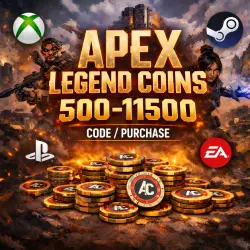
APEX LEGENDS COINS / 500-11500 / ALL PLATFORMS (XBOX, STEAM, PC, PS)
Important notice
Any third-party trademarks, brand names, and product names referenced on this website are used solely to identify the relevant goods/services and, where applicable, to indicate intended purpose or compatibility. No affiliation, authorization, sponsorship, or endorsement by the trademark owners is implied unless expressly stated.
About the product
🎮 Apex Legends Coins via XBOX for any platform.
❗️Your Xbox account must be linked to your EA account.
❓How to do this
https://www.youtube.com/watch?v=VEPHvCT5zpM
https://help.ea.com/ru/articles/ea-account/ea-account-linking/
♦️Coins will be displayed on all platforms linked to EA (PS, Steam, Epic, etc.) IF you log into the game from XBOX, if this is not possible: https://ggsel.net/catalog/product/aktivaciia-xbox-overwatch-rocket-league-fortnite-apex-4484960
1️⃣ Purchase with code:
➖You receive a code for ALL regions, enter it at the link (after logging in to your Xbox account linked to EA):
https://account.microsoft.com/billing/redeem
2️⃣ Purchase with login:
➖Send your Xbox account details (linked to your EA account), and I'll top up your coins with the code/purchase.
✅ Shards and passes can only be purchased by logging into your Xbox account.
⁉️If you don't have an Xbox account yet:
▪️You need to create a Microsoft Xbox account - https://www.microsoft.com
▪️Go to http://www.xbox.com and complete your account creation! The most important thing here is to create your Xbox Live gametag (i.e., you must have your XBOX nickname)!
🔴Codes cannot be redeemed earlier! Record a screen capture from the moment of payment until the moment of activation. Claims without it will not be processed!
🔴Refunds are not possible for cards received, used, or incorrectly activated.
🔴By purchasing a digital product, you agree to the terms of this return policy. If you do not agree to this policy, please do not purchase the digital product.
⏱️ Support hours are from 10:00 to 22:00 Moscow time.

 Top up
 Games
Games Discounts 90%
 AI
AI Mobile Games
 Game Pass
 New Games
 Nintendo