
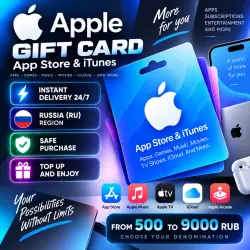
Apple Gift Card | 500–9000 RUB | Russia RU | App Store & iTunes | Instant Delivery 24/7
Important notice
Any third-party trademarks, brand names, and product names referenced on this website are used solely to identify the relevant goods/services and, where applicable, to indicate intended purpose or compatibility. No affiliation, authorization, sponsorship, or endorsement by the trademark owners is implied unless expressly stated.
🍎 APPLE GIFT CARD — 500–9000 RUB
⚡ INSTANT AUTOMATIC DELIVERY 24/7
Immediately after successful payment, you will automatically receive an Apple Gift Card digital code for the selected denomination.
No need to wait for the seller — your product is delivered automatically 24/7.
━━━━━━━━━━━━━━━━━━
📌 PRODUCT INFORMATION
━━━━━━━━━━━━━━━━━━
🎁 Product: Apple Gift Card / App Store & iTunes
💰 Denominations: 500–9000 RUB
🇷🇺 Region: Russia (RU)
🔑 Format: Digital Code
⚡ Delivery: Automatic 24/7
The gift card adds funds to your Apple Account balance.
The balance can be used for eligible Apple purchases and services, including apps, games, subscriptions and other digital content.
❗ IMPORTANT:
Your Apple Account region must be Russia (RU).
━━━━━━━━━━━━━━━━━━
📱 HOW TO REDEEM ON iPhone / iPad
━━━━━━━━━━━━━━━━━━
1️⃣ Open the App Store.
2️⃣ Tap your profile icon.
3️⃣ Select “Redeem Gift Card or Code”.
4️⃣ Enter the digital code you received after purchase.
5️⃣ Confirm the redemption.
After successful redemption, the funds will be added to your Apple Account balance.
━━━━━━━━━━━━━━━━━━
💻 OTHER REDEMPTION OPTIONS
━━━━━━━━━━━━━━━━━━
🍏 Mac — redeem through the App Store.
💻 PC — use a supported Apple application.
🌐 You can also use Apple's official redemption page:
https://apps.apple.com/redeem/
━━━━━━━━━━━━━━━━━━
📲 IMPORTANT FOR ANDROID
━━━━━━━━━━━━━━━━━━
❗ Gift card balance redemption options through Apple apps on Android may differ.
For the easiest redemption process, we recommend using an iPhone, iPad, Mac or Apple's official redemption method.
━━━━━━━━━━━━━━━━━━
⚠️ IMPORTANT BEFORE PURCHASE
━━━━━━━━━━━━━━━━━━
❗ Make sure you select the correct denomination before purchasing.
❗ Check your Apple Account region carefully — it must be Russia (RU).
❗ Before redeeming the code, make sure you are signed in to the Apple Account you want to top up.
📹 We recommend making a continuous screen recording from the moment of payment until you receive the code and complete the first redemption attempt.
❗ Never publish your code or share it with third parties.
❗ We recommend redeeming the code immediately after receiving it.
━━━━━━━━━━━━━━━━━━
🛡️ IF YOU EXPERIENCE A PROBLEM
━━━━━━━━━━━━━━━━━━
If the code cannot be redeemed or appears to have already been used, take a screenshot of the error message and contact the seller through GGsel.
A screen recording of the purchase and first redemption attempt may be required to investigate the issue.
If verification confirms a problem with the delivered code, the issue will be resolved according to GGsel rules.
━━━━━━━━━━━━━━━━━━
↩️ REFUNDS & EXCHANGES
━━━━━━━━━━━━━━━━━━
Successfully redeemed or used digital codes cannot be returned or exchanged, except where required by marketplace rules or applicable law.
If the code is redeemed on the wrong Apple Account, the seller cannot reverse the redemption or transfer the balance to another account.
By purchasing this product, you confirm that you have read and understood the product description and terms of use.
━━━━━━━━━━━━━━━━━━
❤️ THANK YOU FOR YOUR PURCHASE!
━━━━━━━━━━━━━━━━━━
📦 Automatic order delivery — 24/7
💬 If you have any questions, contact the seller through GGsel.
⭐ We would appreciate a positive review!
🕐 Support hours: daily from 10:00 to 22:00 Moscow Time (MSK)
 Top up
 Games
Games Discounts 90%
 AI
AI Windows
 Subsctiptions
 New Games
 Mobile Games