
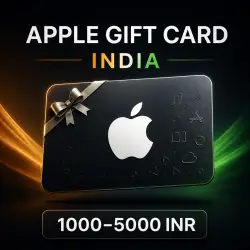
APPLE GIFT CARD INDIA 1000–5000 INR | CODE | AUTO DELIVERY
Important notice
Any third-party trademarks, brand names, and product names referenced on this website are used solely to identify the relevant goods/services and, where applicable, to indicate intended purpose or compatibility. No affiliation, authorization, sponsorship, or endorsement by the trademark owners is implied unless expressly stated.
About the product
🍏 APPLE GIFT CARD INDIA (INR) — DIGITAL CODE WITH 24/7 AUTO DELIVERY
Gift card for topping up an India-region Apple ID. After redemption, the funds are added to the account balance in Indian rupees (INR).
🎁 WHAT YOU RECEIVE
• a unique digital Apple Gift Card code;
• automatic delivery after payment;
• no need to share your Apple ID login, password, or account access;
• the balance can be used for apps, games, in-app purchases, and eligible regional Apple subscriptions, including Apple Music, Apple TV+, Apple Arcade, and iCloud+.
💳 AVAILABLE DENOMINATIONS
1000, 1500, 2000, 2500, 3500, 4000, 4500, and 5000 INR.
Select the required denomination using the radio buttons before payment. A denomination may be temporarily hidden when it is out of stock at the supplier.
🚀 HOW DELIVERY WORKS
1. Select the denomination.
2. Pay for the order.
3. Open the automatic delivery link on the order page.
4. Copy the code and redeem it in the App Store.
🌍 IMPORTANT: INDIA REGION ONLY
The code can only be redeemed on an Apple ID whose country or region is set to India and whose store currency is INR. It will not redeem on an account from another region. The code does not change the account region automatically, so check it before payment.
📲 REDEEM ON IPHONE OR IPAD
1. Open the App Store.
2. Tap the profile icon at the top of the screen.
3. Choose Redeem Gift Card or Code.
4. Choose manual entry, paste the code, and confirm.
💻 REDEEM ON MAC
1. Open the App Store and sign in to your Apple ID.
2. Click your name in the sidebar.
3. Choose Redeem Gift Card and enter the code manually.
🔄 IF YOUR ACCOUNT REGION IS NOT INDIA
Before changing the region, Apple may require you to spend the remaining balance, wait for or cancel subscriptions that block the change, and leave a Family Sharing group. An Indian billing address or eligible payment method may also be required. Region changes depend on the state of your account and are not included with this product.
Official Apple instructions:
• redeem a code — https://support.apple.com/118242
• change country or region — https://support.apple.com/118283
⚠️ BEFORE PURCHASING
• this is a digital code; no physical card is shipped;
• verify the region and selected denomination carefully;
• never share the received code with third parties;
• we recommend recording one continuous video from receiving the code through redemption, as it can help resolve any activation issue.
If the code does not redeem, do not publish it or share it with anyone. Take a screenshot of the error and contact the seller through the order chat.
 Top up
 Games
Games Discounts 90%
 AI
AI Windows
 Subsctiptions
 New Games
 Mobile Games