
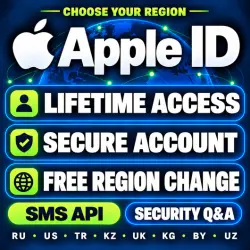
Apple ID | USA, Russia, Turkey & More | SMS API / Security Questions
Important notice
Any third-party trademarks, brand names, and product names referenced on this website are used solely to identify the relevant goods/services and, where applicable, to indicate intended purpose or compatibility. No affiliation, authorization, sponsorship, or endorsement by the trademark owners is implied unless expressly stated.
About the product
📌 SELECT YOUR PLAN
------------------------------------------------------------------
【 Plan A 】 Quick Login / Budget Option
• SMS API : Email----Password----SMS API
• Features: Automated 2FA via web API link. Quick setup and highly cost-effective.
• Best For: Immediate App Store downloads and short-term/quick usage.
【 Plan B 】 Full Control / Maximum Security
• Security Questions: Email----Password----Q1(Friends)----Q2(Work)----Q3(Parents)----Birthday----RegDate
• Features: Clean account with NO pre-linked phone number. Includes full security questions. 100% transferrable to your own details.
• Best For: Long-term personal use, high security requirements, and primary accounts.
------------------------------------------------------------------
📲 HOW TO LOG IN
------------------------------------------------------------------
▶️ IF YOU BOUGHT PLAN A:(Account----Password----SMS API)
1. Open the App Store and log in with the Email & Password provided.
2. Open the SMS API link in any browser to receive your 2FA verification code.
3. Enter the code to complete login.
4. (Optional) Go to https://account.apple.com/ to bind your personal phone number and update the password.
▶️ IF YOU BOUGHT PLAN B:(Account - Password - Answer 1 friend - Answer 2 jobs - Answer 3 parents - Birthday - RegDate)
★★★★★Login answers must follow Apple's security question order, not the order I submitted★★★★★
1. Open the App Store and log in with the Email & Password provided.
2. If prompted to upgrade security or add 2FA, click "Other Options" -> "Do Not Upgrade".
3. Use the account normally for 3–5 days to warm it up.
4. After 3–5 days, visit https://account.apple.com/ to set up 2FA, bind your personal phone, or change security details.
------------------------------------------------------------------
📖 CRITICAL LOGIN RULES (MUST READ BEFORE USE)
------------------------------------------------------------------
⚠️ CRITICAL SAFETY RULES:
1. App Store ONLY: ALWAYS log in through the App Store!
❌ NEVER log into System Settings / iCloud directly to avoid activation lock risks.
2. Existing Apps Notice: Apps downloaded with your old Apple ID must be uninstalled and re-downloaded with this new ID.
3. Connection Issues: If you encounter a "Connection Failure", toggle between Wi-Fi and mobile data.
4.⚠️ Apple may reclaim this Apple ID at any time. Do not add funds. The seller is not responsible for any resulting losses.
------------------------------------------------------------------
🛡️ WARRANTY & AFTER-SALES POLICY
------------------------------------------------------------------
✅ 24-Hour Free Replacement or Refund for initial login errors or disabled status upon delivery.
❌ Warranty EXCLUDED if the account is disabled/locked due to logging into System Settings or iCloud against explicit instructions.
📩 For wholesale orders or special requests, please contact us via the built-in chat!
 Top up
 Games
 Discounts 90%
 AI
 Windows
 Subsctiptions
 New Games
 Mobile Games