
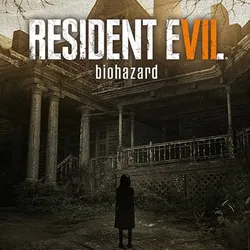
Rent Resident Evil 7 Bio. / 30 days / Offline
0 sales
Important notice
Any third-party trademarks, brand names, and product names referenced on this website are used solely to identify the relevant goods/services and, where applicable, to indicate intended purpose or compatibility. No affiliation, authorization, sponsorship, or endorsement by the trademark owners is implied unless expressly stated.
Rent of the game Resident Evil 7 Biohazard for 30 days in offline STEAM game mode.
What is offline mode?
This is a single player game mode without access to the network (multiplayer mode). You can fully enjoy the game by completing missions in single player.
Online functions are not available in offline mode, instructions for the game are below in additional information.
Rental period: Purchase date 30 days
About the game:
The rotten walls of an abandoned farm in the American South give rise to feelings of fear and loneliness. The spooky "isolated cell" is a new chapter in the survival horror genre. The RE Engine pushes the boundaries of horror - you won't be able to tear yourself away from the screen, the image will be so realistic. Survive a new monstrous nightmare.
What is offline mode?
This is a single player game mode without access to the network (multiplayer mode). You can fully enjoy the game by completing missions in single player.
Online functions are not available in offline mode, instructions for the game are below in additional information.
Rental period: Purchase date 30 days
About the game:
The rotten walls of an abandoned farm in the American South give rise to feelings of fear and loneliness. The spooky "isolated cell" is a new chapter in the survival horror genre. The RE Engine pushes the boundaries of horror - you won't be able to tear yourself away from the screen, the image will be so realistic. Survive a new monstrous nightmare.
1) Download the STEAM app.
2) Log in to your account using the above details.
3) Install the game.
4) After installation, start the game, after the main menu appears, exit the game.
5) In the upper left corner, click on the Steam button, then on the inscription "Go offline ..."
6) Done, you can play without restrictions, if the password is changed, you can track it on this page.
2) Log in to your account using the above details.
3) Install the game.
4) After installation, start the game, after the main menu appears, exit the game.
5) In the upper left corner, click on the Steam button, then on the inscription "Go offline ..."
6) Done, you can play without restrictions, if the password is changed, you can track it on this page.
 Top up
 Games
Games Discounts 90%
 AI
AI Mobile Games
 Game Pass
 New Games
 Nintendo