

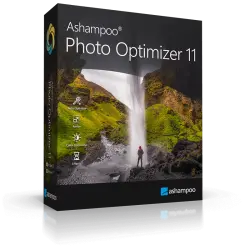
Ashampoo Photo Optimizer 11 | Improve photos with one click. | License key, code
Important notice
Any third-party trademarks, brand names, and product names referenced on this website are used solely to identify the relevant goods/services and, where applicable, to indicate intended purpose or compatibility. No affiliation, authorization, sponsorship, or endorsement by the trademark owners is implied unless expressly stated.
About the product
🔥 Purchase a license for ✔️ Ashampoo Photo Optimizer 11 ✔️ at a great, discounted price.
A Windows program designed for quick and convenient photo enhancement—ranging from simple adjustments to creative effects. Features one-click automatic optimization: the software analyzes your image and fixes common issues such as poor exposure, low contrast, or an off-kilter color balance. You can process individual photos or entire folders (batch processing).
This is a perpetual, legitimate license for Ashampoo Photo Optimizer 11.
Genuine and official. Unlocks the full version of the software.
Download the program from the official website.
Global key—valid for use in any country.
Supported OS: All versions of Windows.
Enhance your photos with a single click.
Photographs preserve precious memories and capture special moments in our lives. Sometimes, however, they don’t turn out quite as expected—or they could simply be improved further. Ashampoo Photo Optimizer 11 helps you get the absolute best out of your photos with just one click, delivering stunning results almost instantly and automatically. It even supports convenient batch processing!
⏱️ Instant delivery! ✔️ 100% Guarantee.
💰 Discounts for returning customers! Cashback available for leaving a positive review.
💬 Support provided if you encounter any issues or have questions.
📌 Unique, single-use key (can be activated once).
Manual adjustments: If automatic correction isn’t enough, the software offers detailed tools—adjust color temperature (white balance), work with tone curves (fine-tuning shadows, midtones, and highlights), or correct perspective (for example, straightening "leaning" walls in architectural shots). LUTs (Lookup Tables). These are color-grading tables that allow you to change the color palette of a photo with a single click—giving it a warm or cool tone, a retro look, and more. The software includes over 45 built-in LUTs, and you can also add your own—or ones downloaded from the internet—directly from their existing folders, without needing to copy them into the program’s main directory.
Portrait Tools. Enhance your portraits automatically or manually: remove red-eye, whiten teeth, fix blemishes, and smooth out skin.
Basic Operations. Crop, rotate, flip, resize, and add watermarks or text.
Creative Effects. Apply artistic filters, such as aged-photo effects, overlays, an "oil painting" look, and more.
Comparison Mode. The screen is split in two: the original image appears on the left, and the enhanced version on the right. This makes it easy to evaluate the results and revert to the original if needed.
Customizable "Favorites" Menu. Group your most frequently used tools in one place for quick access.
Preservation of Originals. The program creates backups before applying any changes, allowing you to experiment freely and return to the original file at any time.
Format Support. Works with JPG, PNG, BMP, and TIFF files for both import and export.
Who is it for?
Perfect for those who want to quickly touch up photos before posting them on social media, unify the look of a series of images using LUTs, or simply experiment with effects without having to master complex, professional-grade editing software.
Ashampoo Photo Optimizer 11 will make your images shine like never before! 15 brand-new LUTs (Look-Up Tables) will give your photos a completely fresh look with just a single click. To help you manage your LUTs more efficiently—and easily add your own or ones you’ve downloaded—we’ve introduced an entirely new management system. Get ready to use a cutting-edge photo optimizer that will truly amaze you!
Enjoy unparalleled flexibility with our new folder management feature. You can now use your LUTs directly from their current storage location, without needing to copy them into a central folder. With support for custom folders, organizing your LUT collection becomes intuitive and decentralized. You can test out new LUTs the moment you download them, all while keeping your creative assets neatly organized. Integration is seamless, allowing you to focus entirely on what matters most: enhancing your photos with stunning effects!
Perfect your vacation, wedding, or party photos!
Fix blurry shots, correct perspective, or apply one of many brilliant effects. You can easily address minor imperfections like red-eye, skin blemishes