
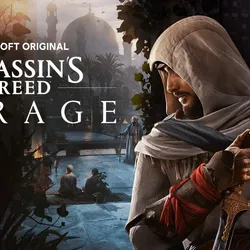
ASSASSIN´S CREED MIRAGE DELUXE ALL LANGUAGES OFFLIN
Important notice
Any third-party trademarks, brand names, and product names referenced on this website are used solely to identify the relevant goods/services and, where applicable, to indicate intended purpose or compatibility. No affiliation, authorization, sponsorship, or endorsement by the trademark owners is implied unless expressly stated.
About the product
✔️ Platform: Uplay
⭐️ Product type: Account rental
🕹 Game mode: offline (Internet connection required only for first launch)
After payment, you instantly get access to an account with the game ASSASSIN'S CREED MIRAGE DELUXE for 30 days.
You need to play offline - you launch the game via the Internet once, and then play without a permanent connection, with your saves.
There may also be other licensed games on the account that you can play as part of the rental.
Why risk it with pirated versions if you can just rent a licensed version and play in peace?
🚫 Important to know:
• The account is provided for temporary use.
• Access is provided immediately after payment.
• For the game only - the marketplace and exchange are disabled.
• The rental period begins from the moment of purchase.
• It is not recommended to change account information.
• Play fair - no cheats or violations. In case of a ban, access will be revoked.
You can extend the rental if you wish - just write to the seller.
📩 Do you have questions before buying? Write to us in the chat.
⚠️ Please note: launch and compatibility issues are resolved through the publisher's official support.
⭐️ Product type: Account rental
🕹 Game mode: offline (Internet connection required only for first launch)
After payment, you instantly get access to an account with the game ASSASSIN'S CREED MIRAGE DELUXE for 30 days.
You need to play offline - you launch the game via the Internet once, and then play without a permanent connection, with your saves.
There may also be other licensed games on the account that you can play as part of the rental.
Why risk it with pirated versions if you can just rent a licensed version and play in peace?
🚫 Important to know:
• The account is provided for temporary use.
• Access is provided immediately after payment.
• For the game only - the marketplace and exchange are disabled.
• The rental period begins from the moment of purchase.
• It is not recommended to change account information.
• Play fair - no cheats or violations. In case of a ban, access will be revoked.
You can extend the rental if you wish - just write to the seller.
📩 Do you have questions before buying? Write to us in the chat.
⚠️ Please note: launch and compatibility issues are resolved through the publisher's official support.
📋INSTALLATION
Instructions for offline mode
1. Install Ubisoft connect client;
2. Log in to Ubisoft connect with the login and password you received;
3 In the chat, we ask me for an authenticator code, having first checked the box for the trusted device;
4. Download and install the game;
4. Launch the game online once and exit it (To activate);
5. In the upper left corner, click the menu (3 bars) and turn off synchronization with the cloud service, and click “go offline” there;
6. Enjoy the game
Instructions for offline mode
1. Install Ubisoft connect client;
2. Log in to Ubisoft connect with the login and password you received;
3 In the chat, we ask me for an authenticator code, having first checked the box for the trusted device;
4. Download and install the game;
4. Launch the game online once and exit it (To activate);
5. In the upper left corner, click the menu (3 bars) and turn off synchronization with the cloud service, and click “go offline” there;
6. Enjoy the game
 Top up
 Games
Games Discounts 90%
 AI
AI Windows
 Subsctiptions
 New Games
 Mobile Games