
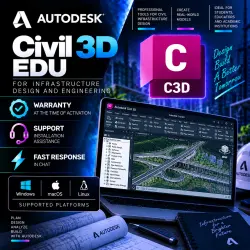
Autodesk Civil 3D 2027/25/24/23/22 WinOS/02.08.2028
Important notice
Any third-party trademarks, brand names, and product names referenced on this website are used solely to identify the relevant goods/services and, where applicable, to indicate intended purpose or compatibility. No affiliation, authorization, sponsorship, or endorsement by the trademark owners is implied unless expressly stated.
About the product
🏗️ Autodesk Civil 3D EDU — Subscription Added to Account
━━━━━━━━━━━━━━━━━━━
🎓 License Type — Educational (EDU)
👤 Activation — Adding a subscription to your Autodesk account
📧 Registration — Via account email
💻 Platform — Windows
🔑 License key not provided
⚠️ This is an educational license. It is intended solely for teaching, preparing educational projects, and research. Commercial use of the EDU license is not permitted.
━━━━━━━━━━━━━━━━━━
📦 YOU GET
✅ Access to Autodesk Civil 3D
✅ EDU subscription on your Autodesk account
✅ Full Civil 3D functionality within the educational license terms
✅ Download the program through Autodesk after purchasing access
✅ Updates within the current subscription
━━━━━━━━━━━━━━━━━━━━
🏗️ AUTODESK CIVIL 3D FEATURES
🔹 Civil infrastructure design
🔹 Digital model creation and analysis Terrain
🔹 Designing Highways and Corridors
🔹 Working with Profiles and Longitudinal Sections
🔹 Creating Land Plots
🔹 Designing Pipelines and Utility Networks
🔹 Calculating Earthwork Volumes
🔹 Working with Points and Geodetic Data
🔹 Creating Plans, Profiles, and Technical Documentation
🔹 Working with 3D Models of Infrastructure Objects
Civil 3D is widely used for designing roads, sites, utilities, master plans, and other infrastructure objects.
━━━━━━━━━━━━━━━━━━━━━
🔑 HOW THE REGISTRATION PROCESS HAPPENS
1️⃣ After purchase, send the seller the email address linked to your Autodesk account. 2️⃣ If you don't have an Autodesk account yet, register one in advance.
3️⃣ The seller will add the EDU subscription.
4️⃣ Once completed, check that Civil 3D is in your account.
5️⃣ You can then begin installing and using the program.
⚠️ This is NOT an activation key. The subscription is added directly to your Autodesk account via email.
━━━━━━━━━━━━━━━━━━
🇷🇺 IMPORTANT FOR RUSSIA, DPR, LPR, CRIMEA, AND OTHER REGIONS WITH RESTRICTIONS
⚠️ Due to Autodesk's regional and sanction restrictions, standard access to the website, downloading, installing, or activating the software may be limited.
Users in Russia, DPR, LPR, Crimea, and other territories subject to relevant restrictions may require special software and additional connection configuration.
❗ Before purchasing, we recommend checking with the seller for installation and activation procedures for your region.
━━━━━━━━━━━━━━━━━━
⚠️ LIMITATIONS
❌ This is not a license key
📌 Use is subject to the Autodesk Education Terms
━━━━━━━━━━━━━━━━━━━
🛡️ WARRANTY AND SUPPORT
💬 If you have any questions before purchasing, please contact the seller via GGSEL chat.
📧 Please provide only the correct email address for your Autodesk account.
⚠️ Before paying, please make sure this EDU license type is suitable for your needs.
━━━━━━━━━━━━━━━━━━━
🕐 STORE WORKING HOURS
⏰ Daily from 9:00 AM to 10:00 PM Moscow Time (MSK).
🌙 Orders placed outside of working hours are processed after the start of the next work shift.
 Top up
 Games
Games Discounts 90%
 AI
AI Windows
 Subsctiptions
 New Games
 Mobile Games