
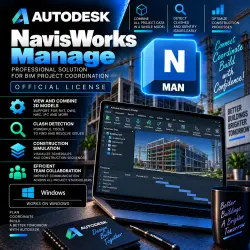
Autodesk NavisWorks Manage 2022/23/24/25/26/27 08.02.2028 WinOS
Important notice
Any third-party trademarks, brand names, and product names referenced on this website are used solely to identify the relevant goods/services and, where applicable, to indicate intended purpose or compatibility. No affiliation, authorization, sponsorship, or endorsement by the trademark owners is implied unless expressly stated.
About the product
🏗️ Autodesk Navisworks Manage 2022–2027 EDU — Account Subscription
━━━━━━━━━━━━━━━━━━
🎓 Subscription Type — Educational (EDU)
🪟 Platform — Windows
📌 Versions — 2022 / 2023 / 2024 / 2025 / 2026 / 2027
👤 Delivery — Subscription added directly to your Autodesk Account
📧 Setup — Via your account email address
🔑 No license key provided
⚠️ IMPORTANT! This is not an activation key. The EDU subscription is added directly to your Autodesk Account.
━━━━━━━━━━━━━━━━━━
📦 WHAT YOU GET
✅ Autodesk Navisworks Manage EDU
✅ Subscription on your personal Autodesk Account
✅ Ability to download available versions
✅ Navisworks Manage functionality under the educational subscription
✅ Tools for BIM project review and coordination
✅ Seller support for any questions
━━━━━━━━━━━━━━━━━━
🔥 NAVISWORKS MANAGE CAPABILITIES
🔹 Viewing and combining models in various formats
🔹 BIM model coordination
🔹 Reviewing large, complex projects
🔹 Detecting clashes and conflicts between elements
🔹 Clash Detection tools
🔹 Analyzing interactions between different engineering systems
🔹 Working with architectural and construction models
🔹 Navigating large 3D projects
🔹 Creating sections and viewpoints
🔹 Adding comments and markups
🔹 Working with model object data
🔹 Tools for collaborative project review
🔹 Visualizing construction sequences
🔹 4D modeling and project planning
🔹 Preparing projects for coordination and review
🏢 Navisworks Manage is suitable for BIM coordination, construction, architectural and engineering projects, model review, and clash detection. ━━━━━━━━━━━━━━━━━━
📌 AVAILABLE VERSIONS
🔹 Navisworks Manage 2022
🔹 Navisworks Manage 2023
🔹 Navisworks Manage 2024
🔹 Navisworks Manage 2025
🔹 Navisworks Manage 2026
🔹 Navisworks Manage 2027
⚠️ Before purchasing, please verify the availability of the required version and its compatibility with your Windows version.
━━━━━━━━━━━━━━━━━━
🔑 HOW THE PROCESS WORKS
1️⃣ After purchasing, send the seller the email address linked to your Autodesk Account.
2️⃣ If you do not yet have an Autodesk Account, please register one beforehand.
3️⃣ The EDU subscription is added to the specified account.
4️⃣ Once processing is complete, the seller will notify you that the order is ready.
5️⃣ You verify access within your Autodesk Account.
6️⃣ You can then proceed to download, install, and activate Navisworks Manage.
📧 The correct email address associated with your Autodesk Account is required for processing.
🔐 Your account password is not required for this process.
━━━━━━━━━━━━━━━━━━
🎓 EDU SUBSCRIPTION
📚 Subscription type: Educational (EDU).
✅ Suitable for learning Navisworks Manage
✅ Suitable for learning BIM coordination and project review
✅ Access is provided via an educational subscription
⚠️ Usage is subject to Autodesk's educational access terms and conditions.
━━━━━━━━━━━━━━━━━━
🇷🇺 IMPORTANT FOR RUSSIA, DPR, LPR, CRIMEA, AND OTHER RESTRICTED REGIONS
⚠️ Due to sanctions and regional restrictions, standard access to Autodesk services, as well as software downloading, installation, and activation, may be limited. 🛠️ Residents of the Russian Federation, DPR, LPR, Crimea, and other regions subject to relevant restrictions **must use special software and configure their connection settings** to ensure proper access, download, installation, and activation.
━━━━━━━━━━━━━━━━━━
⚠️ BEFORE PURCHASING
📌 Ensure you provide the correct email address associated with your Autodesk Account.
📌 Check that your version of Windows is compatible with the selected version of Navisworks Manage.
📌 Please note: Navisworks Manage is designed for Windows.
📌 Users in restricted regions must take into account specific requirements regarding connection, downloading, installation, and activation.
━━━━━━━━━━━━━━━━━━
🛡️ WARRANTY AND SUPPORT
💬 For any questions, please contact the seller via the GGSEL order chat.
🛠️ We will assist you with any issues regarding subscription receipt, installation, and activation.
📧 Please provide only a valid Autodesk Account email address to fulfill the order.
━━━━━━━━━━━━━━━━━━
🕐 STORE BUSINESS HOURS
⏰ Daily — 09:00–22:00 Moscow Time (MSK)
🌙 Orders placed outside business hours will be processed at the start of the next shift.
━━━━━━━━━━━━━━━━━━
🏗️ Autodesk Navisworks Manage
📌 2022 / 2023 / 2024 / 2025 / 2026 / 2027
🎓 EDU — Educational subscription
🪟 Windows
📧 Added to your Autodesk Account via email
🔑 Not a license key
⏰ 09:00–22:00 MSK
 Top up
 Games
Games Discounts 90%
 AI
AI Windows
 Subsctiptions
 New Games
 Mobile Games