
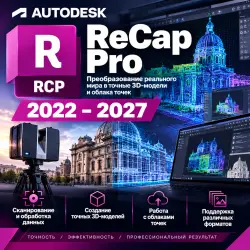
Autodesk ReCap Pro 2022~2027I 1 Year/3 Year Officially authorized
Important notice
Any third-party trademarks, brand names, and product names referenced on this website are used solely to identify the relevant goods/services and, where applicable, to indicate intended purpose or compatibility. No affiliation, authorization, sponsorship, or endorsement by the trademark owners is implied unless expressly stated.
About the product
Autodesk ReCap Pro (2022–2027) Genuine Subscription License/Full Version Access
⚡ Instant order processing 24/7.
🔥 Key Advantages:
✅ Complete reality capture toolkit: import, register, clean, and mesh laser scan and UAV photogrammetry data
✅ Flexible versions: You can choose and activate any of the ReCap Pro versions from 2022 to 2027.
✅ High-performance point cloud indexing, fully supporting E57, LAS, LAZ, PTS, and Faro formats.
✅ Direct BIM and CAD interoperability: Enables seamless one-click workflows with Revit, AutoCAD, Civil 3D, and Navisworks.
✅ Advanced Feature Extraction: Automatic Ground Classification, Curb/Guardrail Detection, and Local Scan-to-Mesh Modeling
✅ Global multilingual interface, allowing direct access to all official updates and service packs.
✔️ You will receive the following upon receipt:
• Autodesk account credentials / ReCap Pro (2022–2027) official activation key
• Product Type: Autodesk ReCap Pro Education Edition/Multi-Year License
• Relevant email login and access details (if provided via a pre-activated account)
• Official direct download link from Autodesk servers (clean, unmodified installer)
• Delivery format: License key/email:password:activation code
• Clear step-by-step setup and installation instructions
❗Note❗Please ensure your workstation meets the official hardware requirements (64-bit Windows 10/11, minimum 32 GB RAM, and a dedicated NVIDIA/AMD graphics card with at least 4 GB of video memory is recommended for fast index scanning and grid generation).
⚠️ Important rules and safety requirements:
• To protect customer confidentiality, order data and license credentials are immediately removed from active memory upon delivery.
• The buyer must keep the provided documents safe immediately upon receiving the order.
• Activation must be completed according to the accompanying guide; do not use untrusted third-party patch files.
• A license covers the number of authorized devices as specified in the Autodesk Standard Licensing Guidelines.
• The buyer is responsible for maintaining compatible hardware and operating system environment specifications.
• For assistance, setup issues, or license verification, please submit a support ticket via "Communicate with Seller".
❗By completing the purchase, you agree to all the product parameters and guidelines listed above.
📌 How to install and activate your software:
Download the official installer for your desired version (2022–2027) from the provided official link.
Complete the standard installation on your 64-bit Windows workstation.
Launch Autodesk ReCap Pro and click "Sign In" or "Enter Serial Number/License Key".
Please enter the provided activation credentials to complete the authorization settings.
📌 Can I use ReCap Pro projects in Revit and Civil 3D?
Yes. You can directly export or index registered scan data as native .rcp or .rcs files. These files can be directly attached to Revit, AutoCAD, Civil 3D, and Navisworks and aligned with coordinates, enabling rapid scan-to-BIM modeling and as-built verification.
 Top up
 Games
Games Discounts 90%
 AI
AI Windows
 Subsctiptions
 New Games
 Mobile Games