
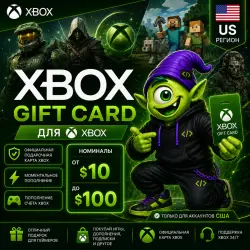
XBOX GIFT CARD USA | $10-100 | XBOX USA US | CODE | AUTO 24/7
Important notice
Any third-party trademarks, brand names, and product names referenced on this website are used solely to identify the relevant goods/services and, where applicable, to indicate intended purpose or compatibility. No affiliation, authorization, sponsorship, or endorsement by the trademark owners is implied unless expressly stated.
About the product
🎮 Buy XBOX GIFT CARD USA from Kodych
, Instant delivery 24/7
, Safe purchase
, Official Xbox Gift Card
, For games, subscriptions, and purchases in the Microsoft Store
Xbox Gift Card USA 🇺🇸 allows you to quickly top up your Microsoft/Xbox account balance with a US region and pay:
, Games for Xbox Series X|S and Xbox One
✅ Add-ons (DLC)
✅ In-game currency
, Pre - orders of new games
, Applications and digital content
, Xbox Game Pass subscriptions and other Microsoft Store content
After payment, you will receive a unique 25-digit activation code with automatic instant issuance.
, A CONVENIENT WAY TO TOP UP THE XBOX STORE USA
, Which region is suitable for?
The gift card is intended only for Microsoft/Xbox accounts with the United States region.
Before purchasing, make sure that your account's region is set as United States (USA).
After activation, the funds will be credited to your Microsoft account balance and can be used for purchases in the Xbox Store and Microsoft Store.
, What will you get?
✔ Original Xbox Gift Card Key
✔ Automatic withdrawal immediately after payment
✔ 100% guarantee of operability
✔ Support for the Delivery Code
🚀How to activate Xbox Gift Card
🎮 On Xbox Series X|S or Xbox One
1. Log in to your Xbox account.
2. Open the Microsoft Store.
3. Open the side menu and select "Activate".
4. Enter the received 25-digit code.
5. Follow the on-screen instructions.
, Through the browser
1. Go to the website:
https://redeem.microsoft.com
2. Log in to your Microsoft account.
3. Enter the received 25-digit code.
4. Follow the on-screen instructions.
, Via Windows 10/11
1. Open the Microsoft Store.
2. Select "..." → "Activate code".
3. Enter the received 25-digit code.
4. Follow the on-screen instructions.
⚠️ Important
✔ After payment, you will receive a unique Xbox Gift Card activation code for an account with a US region.
The activation code will be received immediately after payment and will also be sent to your email.
✔ Before purchasing, make sure that the region of your Microsoft/Xbox account is the United States (USA).
✔ A refund or replacement is possible only in case of problems with the code due to our fault.
👾 Kodych — digital goods without unnecessary adventures 🎮
How do I get a code? 🤔
After payment, click "Receive item" in the email or on the purchase page. You'll then be taken to a page with a unique code. 🎉There's no need to send the unique code to the seller via chat.
Sincerely, the Code Kodycha team 💜
We help you get your favorite services quickly, securely, and hassle-free 🚀
 Top up
 Games
Games Discounts 90%
 AI
AI Windows
 Subsctiptions
 New Games
 Mobile Games