
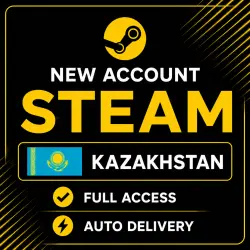
(AUTO) NEW STEAM ACCOUNT KAZAKHSTAN | FULL ACCESS
Important notice
Any third-party trademarks, brand names, and product names referenced on this website are used solely to identify the relevant goods/services and, where applicable, to indicate intended purpose or compatibility. No affiliation, authorization, sponsorship, or endorsement by the trademark owners is implied unless expressly stated.
🎮 Steam account with Kazakhstan region — full access
Discover all the features of Steam with a Kazakhstan region account! After payment, you'll instantly receive your login information and be able to purchase games, add-ons, subscriptions, and other items in the Steam store. Automatic delivery is available 24/7, and support is always available.
📦 What you'll get:
🔹 Access to your account email
🔹 Steam login and password
🔹 Email password
⭐ Why choose us:
🔸 Ready-made Steam accounts with the Kazakhstan region
🔸 Automatic delivery immediately after payment
🔸 Full control over your account and email
🔸 All accounts are created manually
🔸 Help and support after purchase
🔸 Affordable prices and high-quality service
🛡 Service advantages:
✔️ Account data is not saved after sale
✔️ Reliable and secure service
✔️ Ability to make purchases in the Kazakhstan region
✔️ Accounts with a limit - a deposit of at least $5 is required to open the trading platform
❗ Important:
After receiving an account, responsibility for its security passes to the buyer.
💡 We recommend after purchase:
🔹 Immediately change your password and link your email address
🔹 Enable Steam Guard Mobile Authenticator
🔹 Use payment methods suitable for the Kazakhstan region
🔹 Avoid using email addresses with .ru domains – Gmail, Outlook, and other .com services are better
🔹 Follow the Steam rules and user agreement
🛍 Start using Steam now!
Get access to a huge catalog of games, seasonal discounts, and special offers. 🎲💳✨
📧 How do I change my email address?
Go to the "Account Information" section, find the "Contact Information" section, and click "Change Email Address."
Next, choose to have a confirmation code sent to your current email address (@outlook.com).
🔐 How do I change my password?
Open "Account Information," go to the "Account Security" section, and select "Change Password." After that, request a confirmation code to your linked email (@outlook.com).
💳 How do I top up my Steam balance?
You can top up your Kazakhstan region account in several ways:
🔹 Buy a Steam Gift Card
🔹 Add a suitable payment method for the Kazakhstan region
🔹 Use Steam balance top-up services from merchants

 Top up
 Games
Games Discounts 90%
 AI
AI Mobile Games
 Game Pass
 New Games
 Nintendo