
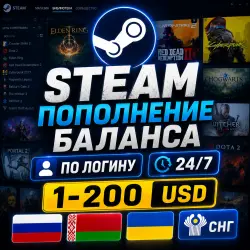
Automatic replenishment of the Steam balance RUB UAH KZT
Important notice
Any third-party trademarks, brand names, and product names referenced on this website are used solely to identify the relevant goods/services and, where applicable, to indicate intended purpose or compatibility. No affiliation, authorization, sponsorship, or endorsement by the trademark owners is implied unless expressly stated.
About the product
🎮 STEAM BALANCE TOP-UP
🔥 Top up your Steam account balance and purchase games, DLC, items, and other content directly from the Steam store.
💰 Payment is made in rubles — your account will be credited in the currency of the region set on your Steam account.
🌏 Supported Countries
You can top up accounts in the following countries:
🇷🇺 Russia
🇺🇦 Ukraine
🇰🇿 Kazakhstan
🇧🇾 Belarus
🇺🇿 Uzbekistan
🇰🇬 Kyrgyzstan
🇦🇲 Armenia
🌏 And other CIS countries
🔑 HOW TO PLACE AN ORDER
1. Enter your Steam account LOGIN.
⚠️ Not a nickname, display name, or profile link.
You can view your account login in Steam settings:
Open your Steam account page
2. Before purchasing, be sure to check your account region and currency.
You can view your region and currency information on the same Steam page:
3. After payment, funds will be credited directly to your Steam account.
💳 IMPORTANT INFORMATION
🔹 Payment: in rubles.
🔹 Crediting: in the currency of your account region.
🔹 Recommended limit: no more than 31,000 ₽ per day in GMT.
🔹 For large deposits, we recommend dividing the amount into payments up to 12,000 ₽ of your balance per payment.
💡 Due to currency conversion, there may be an error of up to 0.5 ₽ when crediting. We recommend adding approximately 1 ₽ more than the required amount.
⚠️ IMPORTANT FOR NEW ACCOUNTS
If your Steam account has never been topped up before, we do not recommend ordering a large amount immediately.
Steam may automatically change the region of your new account to the CIS region with the USD currency. In this case, prices in the store may be higher, and it may be impossible to change the region back to Russia.
❗ We are unable to cancel or refund such a payment after it has been successfully credited.
If your account is new, we recommend first changing the region to Kazakhstan or Ukraine before ordering a large top-up.
🚫 WE DO NOT REFILL
❌ China ❌ Europe ❌ USA ❌ Brazil ❌ Crimea ❌ LPR ❌ DPR
⏳ IF AN ORDER IS NOT PROCESSED FOR A LONG TIME
If your order is not processed for a long time, this may be due to the payment gateway being temporarily unavailable or technical issues on the system's end.
Don't worry – your order will be processed once payment processing is restored.
❗ CHECK YOUR ACCOUNT BEFORE PURCHASE
Before placing an order, please ensure the following:
✅ Account currency — RUB / UAH / KZT / USD (CIS)
✅ Store region — Russia, Ukraine, Kazakhstan, Uzbekistan, or another supported CIS country
✅ You provided your Steam username, not a nickname or link
✅ Your username is correct
🔴 If your account does not meet the requirements and it is not possible to top up in your region's currency, a refund will be processed manually, minus a fee from the payment we receive.
❗ Therefore, if you are unsure of your account's compatibility, we recommend purchasing the minimum amount first—this will allow you to check whether topping up is possible with minimal risk.
❗ RESPONSIBILITY FOR YOUR LOGIN
Carefully check your Steam username before paying.
🔴 If a top-up is successfully completed using an incorrect username, no refund will be issued.
🔴 If you cancel the service for any reason and your balance has not been topped up, you will receive a refund minus the fee.
🔴By purchasing a digital product, you agree to the terms of this return policy. If you do not agree to this policy, please cancel your purchase of the digital product.
⏱️ Customer support hours are from 10:00 AM to 10:00 PM Moscow time.
 Top up
 Games
Games Discounts 90%
 AI
AI Windows
 Subsctiptions
 New Games
 Mobile Games