
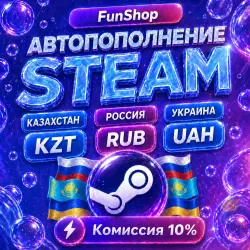
AUTO REPLENISHMENT STEAM | RUB, KZT, UAH
Important notice
Any third-party trademarks, brand names, and product names referenced on this website are used solely to identify the relevant goods/services and, where applicable, to indicate intended purpose or compatibility. No affiliation, authorization, sponsorship, or endorsement by the trademark owners is implied unless expressly stated.
About the product
🎮 Steam Balance Top-Up by FunShop:
We top up the Steam balance for the account you provide.
Funds are credited to your Steam balance after the order is processed.
🌍 Supported regions:
• Russia (₽)
• Kazakhstan (₸) - https://ggsel.net/catalog/product/102249387
• Ukraine (₴) - https://ggsel.net/catalog/product/102249541
✅ What you need to provide when purchasing:
• Your Steam login, specifically the login used to sign in, not your nickname or email.
• Please check that all details are correct before payment.
• Make sure that your account region matches the selected product.
🔎 How to find your Steam login:
1. Open Steam.
2. Click on your profile in the upper-right corner.
3. Go to the “Account details” section.
4. Your Steam account login will be shown at the top of the page.
📌 Important:
• If the login is entered incorrectly and the top-up is sent to another account, a refund is not possible.
• The credited currency depends on the region of your Steam account.
• The final balance amount may slightly differ due to Steam currency exchange rates.
• We do not top up Steam accounts related to unsupported regions, including DPR, LPR, Crimea, and other territories with Steam restrictions. Please do not try to bypass Steam regional restrictions, as in this case the order may not be completed.
⚠️ Important for new Steam accounts:
If your Steam account is new or has never been topped up before, Steam may automatically change the account region or currency after the top-up. To reduce this risk, we recommend starting with a minimum top-up amount and adding a few games to the account in advance.
Please note: any change of region or currency is handled according to Steam rules and does not depend on us.
🧾 How the order is processed:
1. Select the required top-up amount.
2. Enter your Steam account login.
3. Check the entered details.
4. Pay for the order.
5. Wait for the funds to be credited to your Steam balance.
💬 Support:
If you have any questions about your order, please contact us through the order chat on GGSEL.
All communication is carried out only through the platform chat.
🕙 Support working hours:
Daily from 10:00 to 22:00 MSK.
🔁 Refund terms:
✅ If the top-up has been successfully credited to the provided login, a refund is not possible.
✅ If the login was entered incorrectly and the top-up was sent to another account, a refund is not possible.
✅ If the order was not completed due to our fault, a full refund will be issued or the issue will be resolved through the order chat.
✅ If an error occurs during order processing and the funds were not sent to the Steam account, for example due to an incorrect login or unsupported region, we may complete the top-up to the correct account or issue a partial refund.
⚠️ Before payment, please carefully check your Steam login, account region, and selected top-up amount.


