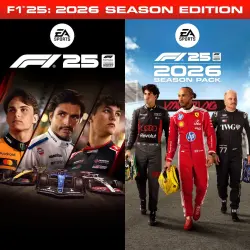
| Instant Delivery | F1 25 Iconic Edition + DLC 2026 SEASON PACK | Offline Activation |
Important notice
Any third-party trademarks, brand names, and product names referenced on this website are used solely to identify the relevant goods/services and, where applicable, to indicate intended purpose or compatibility. No affiliation, authorization, sponsorship, or endorsement by the trademark owners is implied unless expressly stated.
⌛ Online from 10:00 to 22:00 Moscow time ⌛
--> Why choose me? <--
- The bot automatically provides the account details and code; you simply buy, enter the command in the chat, and play ✅
- I respond quickly to any questions ✅
▬▬▬▬▬▬▬▬▬▬▬▬▬▬▬▬▬▬▬▬▬▬▬▬▬▬▬▬▬
✅ Upon purchasing this item, you receive:
• 💎 Steam account with the game *F1 25 Iconic Edition + DLC 2026 SEASON PACK*
• 💎 Detailed activation instructions.
• 💎 Activation on the day of purchase
• 💎 Platform: PC (Steam).
• 💎 Your personal progress and save data
• 💎 Ongoing technical support
• 💎 All pre-order bonuses.
▬▬▬▬▬▬▬▬▬▬▬▬▬▬▬▬▬▬▬▬▬▬▬▬▬▬▬▬▬
✅Detailed description:✅
🔴 Step 1. Authorization
Log into the provided Steam account using the credentials sent by the bot. Make sure to check the "Remember my password" box.
🟠 Step 2. Security and Settings
Go to Steam Settings. Under the Remote Play tab, disable this feature. Then, in your Library, right-click on the game ➔ Properties ➔ "General" tab ➔ disable Steam Cloud synchronization (so your saves do not mix with others).
🟡 Step 3. Game Download
Start downloading Death Stranding 2 from the library and wait until it is 100% complete.
🟢 Step 4. First Launch
Launch the game in Online mode. As soon as you reach the main menu, close the game completely.
🔵 Step 5. Switch to Offline
In the top-left corner of the Steam client, click Steam ➔ Go Offline.... Now you can launch the game and play without any restrictions.
⚠️ Important Rules of Use:
- Do not switch back to online mode to avoid breaking the activation and interfering with other users.
- Until you finish the game, do not update Windows, graphics drivers, or change PC hardware components (otherwise, Denuvo anti-cheat will see it as a new device and the activation will expire).
 Top up
 Games
Games Discounts 90%
 AI
AI Windows
 Subsctiptions
 New Games
 Mobile Games