

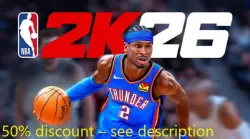
| Automatic issue | NBA 2K26 | Offline activation | NO GUARD | 5 off |
Important notice
Any third-party trademarks, brand names, and product names referenced on this website are used solely to identify the relevant goods/services and, where applicable, to indicate intended purpose or compatibility. No affiliation, authorization, sponsorship, or endorsement by the trademark owners is implied unless expressly stated.
About the product
Why choose me?
• Use promo code 2634E17502 for a 50% discount ✅
• Account without Steam Guard—log in and play anytime
• Automated 24/7 delivery ✅
• Quick responses to any questions ✅
• Offline activation provided permanently ✅
▬▬▬▬▬▬▬▬▬▬▬▬▬▬▬▬▬▬▬▬▬▬▬▬▬▬▬▬▬
✅ Upon purchasing this item, you receive:
• 💎 Steam account with the game *NBA 2K26*
• 💎 Detailed activation instructions.
• 💎 Activation on the day of purchase
• 💎 Platform: PC (Steam).
• 💎 Your personal progress and save data
• 💎 Ongoing technical support
• 💎 All pre-order bonuses.
• 💎 Games on the account: NBA 2K26, Hell is Us, The Elder Scrolls IV: Oblivion Remastered
▬▬▬▬▬▬▬▬▬▬▬▬▬▬▬▬▬▬▬▬▬▬▬▬▬▬▬▬▬
✅Detailed description:✅
🔴 Step 1. Authorization
Log into the provided Steam account using the credentials sent by the bot. Make sure to check the "Remember my password" box.
🟠 Step 2. Security and Settings
Go to Steam Settings. Under the Remote Play tab, disable this feature. Then, in your Library, right-click on the game ➔ Properties ➔ "General" tab ➔ disable Steam Cloud synchronization (so your saves do not mix with others).
🟡 Step 3. Game Download
Start downloading the game from the library and wait until it is 100% complete.
🟢 Step 4. First Launch
Launch the game in Online mode. As soon as you reach the main menu, close the game completely.
🔵 Step 5. Switch to Offline
In the top-left corner of the Steam client, click Steam ➔ Go Offline.... Now you can launch the game and play without any restrictions.
⚠️ Important Rules of Use:
- Do not switch back to online mode to avoid breaking the activation and interfering with other users.
- Until you finish the game, do not update Windows, graphics drivers, or change PC hardware components (otherwise, Denuvo anti-cheat will see it as a new device and the activation will expire).
⌛ I'll be online from 10:00 AM to 10:00 PM Moscow time to answer any questions. ⌛
 Top up
 Games
 Steam Sales
 AI
 Subscriptions
 Windows
 New Games
 Mobile Games