
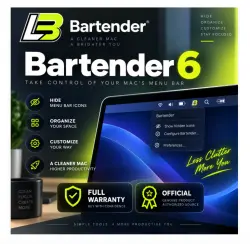
Bartender 6 Bartender mac - License Key
Important notice
Any third-party trademarks, brand names, and product names referenced on this website are used solely to identify the relevant goods/services and, where applicable, to indicate intended purpose or compatibility. No affiliation, authorization, sponsorship, or endorsement by the trademark owners is implied unless expressly stated.
About the product
🖥️ System Requirements
✅ Compatible with macOS 14 Sonoma and above
🎀 License Details
🎀 Permanent License – one-time purchase, no recurring fees
🎀 You will receive:
License Name (Account Name)
Unique License Key to activate Bartender 5
🎀 Easy Installation & Activation
🔧 Installation Steps
1️⃣ Download Bartender 5 from the official website:
👉 https://www.macbartender.com/Bartender5/
2️⃣ Open Bartender 5 → Preferences → License
3️⃣ Enter your License Name & License Key
4️⃣ Follow the on-screen activation steps ✅
🎀 License Format Example
LICENSE NAME: [Your Account Name]
LICENSE KEY: xxxxx-xxxxxx-xxxxxx-xxxxx-xxxxx-xxxxxx-xxxxx-xxxxxx-xxxxx-xxxxx
⭐ About Bartender 5
Raising the bar… again.
Bartender is an award-winning macOS app that has helped users take full control of their menu bar for over 10 years. It allows you to decide what menu bar items are visible, hidden, or shown only when needed, keeping your Mac clean and organized.
✨ Key Benefits
🧹 Declutter your menu bar effortlessly
⚡ Quick reveal & instant search
🎯 Custom hotkeys & triggers
🔄 Smart automation for menu bar items
🚀 Boost productivity and workflow
❓ Frequently Asked Questions
🔹 I recently bought Bartender 4. Do I need to pay for an upgrade?
✅ If you purchased Bartender 4 from July 2022 onward, you are entitled to a free upgrade to Bartender 5.
Bartender 5 will accept and use your Bartender 4 license.
🔹 Can I purchase Bartender elsewhere?
📦 Bartender is also available on Setapp, which offers hundreds of Mac apps for $9.99/month.
Bartender is one of the most popular apps on Setapp.
🔹 How do I update from a previous version?
1️⃣ Make sure your Mac is running macOS Sonoma
2️⃣ Download Bartender 5 from the official website
3️⃣ Open the disk image and move Bartender 5 to your Applications folder
4️⃣ Delete older versions and launch Bartender 5 🚀
🎀 Support
💬 Need help with downloading, installing, or activating?
We’re happy to assist and ensure your Bartender 5 license key works smoothly.
 Top up
 Games
Games Discounts 90%
 AI
AI Windows
 Subsctiptions
 New Games
 Mobile Games