
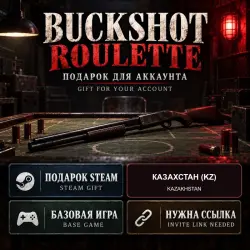
Buckshot Roulette — Steam Gift, Base Game, Kazakhstan (KZ)
Important notice
Any third-party trademarks, brand names, and product names referenced on this website are used solely to identify the relevant goods/services and, where applicable, to indicate intended purpose or compatibility. No affiliation, authorization, sponsorship, or endorsement by the trademark owners is implied unless expressly stated.
About the product
WHAT YOU RECEIVE
The base game Buckshot Roulette. No separate key, DLC or other games are promised. The game is delivered as a gift to the recipient's Steam account. This is a Steam Gift, not a digital key or an account.
ABOUT THE GAME
A tense tactical roulette game with a pump-action shotgun and items that can change each round. Includes single-player and online play.
REGION
Only for a Steam account whose store country is Kazakhstan (KZ). Other countries are not eligible. Do not change your region using a спец. ПО to receive the gift.
LANGUAGES
The official Steam listing shows Russian interface and subtitles; Russian full audio is not listed.
BEFORE PAYMENT
1. Open the recipient's Steam Account Details and check the store country: Kazakhstan (KZ) only. Make sure it does not already own Buckshot Roulette. This is a Steam gift, not a key or an account.
2. Generate a quick invite link from that same recipient account. If buying for someone else, they must create the link. On PC: Steam → Friends → Add a Friend → Quick Invite. On a phone: Steam Chat app → menu → Add a Friend → Invite Link. On the website from PC or phone: sign in at https://steamcommunity.com/my/friends/add and copy your quick invite link.
3. Paste the recipient account's full https://s.team/p/... link into the required order field. A friend code, profile link or example link will not work. Never share your password or Steam Guard code.
4. Pay for the order. Gift delivery takes time; instant delivery is not promised.
AFTER PAYMENT
1. We verify the paid order and send the gift to the account behind the provided link. The order may be processing until sending is confirmed. We then post a message in the GGsel order chat.
2. Sign in to that same Steam account and open the gift notification or Gifts / Gifts Sent to You. Check that the title is Buckshot Roulette, then choose Accept Gift. A Steam warning about having no mutual friends does not prevent accepting a visible gift; adding the sender as a friend is not required.
3. Check your Steam library after acceptance. If the game does not appear right away, sign out and back in.
4. If the gift is missing after our message or Steam reports an error, write in this order chat. Do not pay again.
 Top up
 Games
Games Discounts 90%
 AI
AI Windows
 Subsctiptions
 New Games
 Mobile Games