
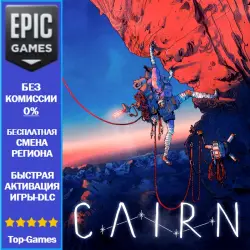
Cairn | EPIC GAMES
Important notice
Any third-party trademarks, brand names, and product names referenced on this website are used solely to identify the relevant goods/services and, where applicable, to indicate intended purpose or compatibility. No affiliation, authorization, sponsorship, or endorsement by the trademark owners is implied unless expressly stated.
This is not a key for Epic Games, to activate the game you will need to provide access to your Epic Games account.
This service is only available for accounts with the Turkey region (region changes are free, and can be made once every 6 months).
Activation is completely safe for your account, and the game will be stored on your personal account.
🚀Game activation process Cairn:
✅ 1. You need to provide access to your epicgames.com account (in the chat after payment or in the form during checkout).
✅ 2. Message the access code sent to your email (if you have 2-step authorization).
✅ Activation of the game on your account takes from 5 minutes to 12 hours (usually within 10-30 minutes).
✅ 4. After activating the game, you can immediately access the purchased content (if it is not a pre-order) by downloading the official launcher from store.epicgames.com.
⚠️Important:
❗Game purchases are only available for accounts with the Turkey region (region changes are free, and can be made every 6 months).❗
❗If you have a new account and 6 months have not passed since your registration date, you cannot change your region.❗
❗Refunds are not possible after the game has been activated on your account.❗
❗Refunds made before the game has been activated, for example if you purchased it by mistake or changed your mind, will be charged a 15-25% commission on the amount of your payment.❗
Refunds are also not possible if the game or DLC is incompatible with your device or if other issues occur with your device during use.
By purchasing this product, you automatically agree to all the terms and conditions above.
 Top up
 Games
Games Discounts 90%
 AI
AI Windows
 Subsctiptions
 New Games
 Mobile Games