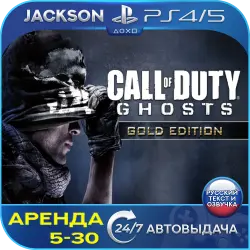
Call of Duty Ghosts Gold (PS4/PS5) RUS | Rent
Important notice
Any third-party trademarks, brand names, and product names referenced on this website are used solely to identify the relevant goods/services and, where applicable, to indicate intended purpose or compatibility. No affiliation, authorization, sponsorship, or endorsement by the trademark owners is implied unless expressly stated.
About the product
🚀 INSTANT DELIVERY 24/7🚀
After payment, you will automatically receive the account details for the game in your Personal Account and via email!
⚠️ IMPORTANT: The closure of the PS Store in Russia does not affect game launches. Everything works as before! ❗️
🎭 GENRE: First‑person shooter
📅 RELEASE DATE: 05.11.2013
🌍 REGION: Play from anywhere in the world ✅
🛡️ GUARANTEE: For the entire period of use 💯
▶️ PS4 version ✔️ | 🔁 Compatible with PS5 ✔️
🔽 GAME:
🎮 CALL OF DUTY: GHOSTS – GOLD EDITION
🇷🇺 SUBTITLES: (Russian text)
🇷🇺 VOICE‑OVER: (Russian language)
▬▬▬▬▬▬▬▬▬▬▬▬▬▬▬▬▬▬▬▬▬▬▬▬▬▬▬▬▬▬▬▬
🔺🟢✖️🟪 RENTAL🟪✖️🟢🔺
🛡️ OFFICIAL AND SAFE ➤ The account was created by us personally, the game was purchased officially from the PS Store. This guarantees 100% protection of your console from bans and stable game performance.
🕒 SERVICE FORMAT (RENTAL) ➤ The account is not for sale; it is provided on a rental basis for the period you choose (from 5 to 30 days). You get access to the profile to download and play the game.
🖥️ GAMEPLAY PROCESS ➤ Launching and playing the game take place strictly on the provided profile. This option is ideal for those who care about the plot and gameplay.
💾 SAVE DATA ➤ All your progress is stored on the rented profile. You can continue playing at any time within the rental period.
📒 INSTALLATION INSTRUCTIONS ⚠️
⚙️CREATING A NEW USER AND ENTERING DATA:
❖ FOR PS4: Select “Power” Then ➔ “Switch User” ➔ Create a new user (not as a guest!)
❖ FOR PS5: select ➔ “LET’S START” ! (not as a guest!) ➔ “Accept the license agreement”
❖ ENTER ➔ the data from the purchased account in the form “login:password”
⚙️ ACTIVATION AND SHARING:
❖ FOR PS4: The option to change the primary system is very important! Select ➔ “Do not change”
❖ FOR PS5: Sharing console access is very important! Select ➔ “Disable” or “Do not enable”
⚙️ GAME LOADING:
❖ LIBRARY ➔ Find your game (purchased) ➔ Download (you can check the download status via the option button)
◐ AFTER THE EXPIRATION DATE ➤ If you are not planning to renew, you can delete the account (SETTINGS ➔ Delete user). If you renew, just write to us, and access will be preserved.
⚠️ RENTAL RULES (P2)
📌 MAIN POINTS:
🔹 LAUNCH ➤ The game and progression are strictly from the issued account.
🔹 NETWORK ➤ A constant internet connection is required.
🔹 PS PLUS ➤ There is no subscription on the account (online access is available if Plus is available on your console).
🔹 LIMIT ➤ Installation is allowed on only one console.🚫 STRICTLY PROHIBITED:
❌ To change any data or to log in to the personal account on the Sony website.
❌ To transfer access to third parties.
⚖️ SANCTIONS AND SECURITY ➤ Any attempts to change data (password, email) are instantly recorded by the system. In this case, we restore access, and you permanently lose the ability to play without a refund. We have the right to request your data from oplata.info, and your console may be blocked!
⏳ TERMS AND RENEWAL:
📅 RENTAL ➤ Minimum 5 days. If you complete the purchase early, the remaining balance is non‑refundable (we’ll give you a discount on your next order).
🔄 EXTENSION ➤ Contact us via the “My Purchases” section in the “Conversation” tab on the product page.
➕ ADDITIONAL:
✅ You can add friends and use social features on the account.
✅ The account is the property of the service and is ready for use immediately.
 Top up
 Games
Games Discounts 90%
 AI
AI Windows
 Subsctiptions
 New Games
 Mobile Games