
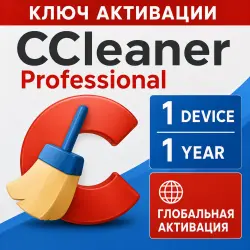
CCleaner Professional 1 Device 1 Year CCleaner Key GLOBAL
Important notice
Any third-party trademarks, brand names, and product names referenced on this website are used solely to identify the relevant goods/services and, where applicable, to indicate intended purpose or compatibility. No affiliation, authorization, sponsorship, or endorsement by the trademark owners is implied unless expressly stated.
🚀You are purchasing: CCleaner Professional activation code
Licensing Specifications: 1 Device / 1 Year Subscription
Product Format: Digital Activation Code/Key
Activation Region: Global Version – No regional restrictions; can be activated directly on networks worldwide. Applicable Systems: Primarily compatible with Windows 11, 10, 8.1, 8, and 7 (including 32/64-bit).
⚡ Professional Version Key Selling Points
Compared to the free version, the professional version unlocks fully automatic maintenance and deep optimization features, making it a must-have for heavy computer users.
1. Smart Cleaning: When system junk reaches the set threshold (default 0.5 GB) or the browser is closed, the software will automatically clean up the cache and privacy traces in the background without manual operation.
2. Full Health Check: Automatically analyzes, adjusts, and repairs common computer redundancy issues with one click, improving device security and responsiveness. Driver Updater: Scans and updates outdated hardware drivers, significantly reducing blue screens and lag, and improving audio/video quality and network stability.
3. One-click Software Updater: Automatically detects and repairs security vulnerabilities in commonly used third-party software, keeping malware out. Performance Optimizer: Exclusive patented technology allows infrequently used background programs to enter "sleep mode," freeing up to 34% of CPU performance and extending laptop battery life.
🛠️ Activation Guide: After purchase, please follow these steps to activate your software:
1. Download the official software: Estimated 2 minutes. Go to the official CCleaner website (ccleaner.com) to download the latest version of CCleaner Free or Trial and complete the installation.
2. Open the activation portal: Estimated 30 seconds. After launching the software, click "My Account" or "Activate License" in the upper right corner. If you are using an older version, please find "Enter License Key" in "Options".
3. Enter and bind the key: Estimated 30 seconds. Copy the official activation code you received (usually an alphanumeric combination) and paste it into the key input box.
4. Upgrade complete: Effective immediately. Click "Next" or "Activate". After successful system verification, the software will automatically and seamlessly upgrade to the Professional version, unlocking all advanced features.
![[US] USA Apple ID • 6 Months Old • Solo Access • App Store Ready • No 2FA](https://img.ggsel.net/102276701/original/250x250/2276700-1642279-7b85550736b6dbc88c01c1c4c7b28864.webp)