
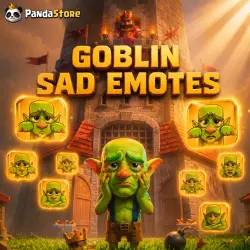
CLASH ROYALE | EMOJI: SAD GOBLIN | Pass royale
Important notice
Any third-party trademarks, brand names, and product names referenced on this website are used solely to identify the relevant goods/services and, where applicable, to indicate intended purpose or compatibility. No affiliation, authorization, sponsorship, or endorsement by the trademark owners is implied unless expressly stated.
About the product
🌍 Instantly top up your Clash Royale account from anywhere!
Get your favorite offers, gems, or Season Pass quickly and easily right now!
To use this service, you must have a Supercell ID account.
❓ FAQ — FREQUENTLY ASKED QUESTIONS
◆━━━━━━━━━━━━━━━━━━━━━━━━━━━━━◆
🛠 Instructions for requesting the code:
Open the Clash Royale app.
Tap the three horizontal lines (Menu) → Supercell ID → Settings (gear icon).
Select “Switch Account” → Continue.
Enter the email address linked to your profile.
Check your email inbox — you will receive a 6-digit verification code.
Send us the received code 🔑 together with your email 📧 — and that’s it!
❌ Please close the game while your order is being processed!
◆━━━━━━━━━━━━━━━━━━━━━━━━━━━━━◆
⏳ How long does it take to receive a reply in chat?
Usually — 5 to 30 minutes.
🙏 Delays may occur due to queue or technical issues. We see all messages and reply as quickly as possible 💞
Maximum waiting time — 24 hours.
━━━━━━━━━━━━━━━━━━━━━━━━━━
🕒 Working hours
From 10:00 to 22:00 (MSK) [Often available until 00:00]
🟢 Orders are accepted 24/7
ℹ️ Additional Information
🫶 Rules and guarantees for your peace of mind:
Full refund if any issues occur due to our fault.
75% refund if the issue is related to customer-side reasons (for example: the required item is unavailable in-game, or you initiated a refund/chargeback request).
Please check the availability of the required offer in advance.
Ready to get started? Choose the offer or Gold Pass you want and follow the simple instructions above!

 Top up
 Games
Games Discounts 90%
 AI
AI Windows
 Subsctiptions
 New Games
 CS2 Market
 Mobile Games