
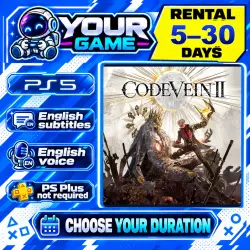
Rent Code Vein II | PS5 | Rental 5–30 days
Important notice
Any third-party trademarks, brand names, and product names referenced on this website are used solely to identify the relevant goods/services and, where applicable, to indicate intended purpose or compatibility. No affiliation, authorization, sponsorship, or endorsement by the trademark owners is implied unless expressly stated.
About the product
🎮 ABOUT THE GAME
Code Vein II
In a world where mortals and immortals coexist, the appearance of the Raphis Moon turns immortals into monsters and threatens the world. As a hunter, travel into the past with the time traveler Lou to change the fate of immortals and prevent disaster. Gather allies and fight with weapons, skills, and the power of blood.
Platform: PS5.
PS5: PS5 version
This is temporary access to the game. Ownership of the account and game is not transferred.
━━━━━━━━━━━━━━━━━━━
🌐 LOCALIZATION
PS5 — Code Vein II
Audio: English, Japanese.
Subtitles / interface: German, English, Spanish, French, Italian, Russian.
➕ PS PLUS
The provided account does not include a PS Plus subscription.
PS5: PS Plus is not required for local play.
━━━━━━━━━━━━━━━━━━━
📦 HOW TO GET ACCESS
1. Select your rental period and pay for the order.
2. Send us a message in the order chat: “Paid, waiting for connection”.
3. We will help you sign in to the provided account using a code and send instructions.
4. Download the game and play using the provided profile.
If the correct game version is already installed, you may not need to download it again.
⏱ RESPONSE TIME
We usually reply and start the connection process within 5–30 minutes of your message in the order chat. Access is arranged manually; delays are possible during busy periods.
🌐 PLAY CONDITIONS
• Play only using the provided account on one console.
• A stable, constant internet connection is required.
• Playing on your personal profile or offline is not supported.
• On PS4, do not activate the provided account as your primary PS4.
• On PS5, do not enable Console Sharing and Offline Play for the provided account.
🔐 CONNECTION AND SECURITY
Follow the instructions supplied during connection.
• Add a permanent console user. Do not use a guest or one-time sign-in.
• Do not change account details, security settings or sign-in methods.
• Do not share access or sign in on other devices.
• If sign-in fails or another code is required, contact us in the order chat.
📅 END OF RENTAL AND EXTENSIONS
Access ends when the paid rental period expires. Remove the provided account from your console.
To request an extension, contact us in the existing order chat in advance. We will check availability.
💬 YOURGAME SUPPORT
Having trouble connecting or launching the game? Send a message in the order chat with a photo of the error.
Before paying, check the game, platform, language and rental period.
 Top up
 Games
Games Discounts 90%
 AI
AI Windows
 Subsctiptions
 New Games
 Mobile Games