

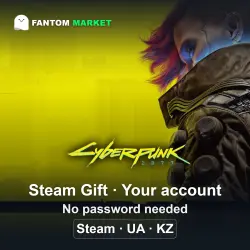
Cyberpunk 2077 — purchase on your Steam account
Important notice
Any third-party trademarks, brand names, and product names referenced on this website are used solely to identify the relevant goods/services and, where applicable, to indicate intended purpose or compatibility. No affiliation, authorization, sponsorship, or endorsement by the trademark owners is implied unless expressly stated.
About the product
📩 THE ORDER IS DELIVERED BY A BOT IN THE CHAT WITH THE SELLER — check this order chat.
⚡ Automatic 24/7: right after payment the game arrives as a Steam gift via your friend invite link. If automatic delivery fails, an operator completes the order 10:00–23:00 Moscow time.
🔐 No password needed: provide your Steam friend invite link and login. The account region must match the chosen option.
🔗 How to get your Steam friend invite link:
• Steam app on PC: Friends → Add a Friend → in "Your Friend Invite Link" click Copy.
• Browser (steamcommunity.com): sign in → hover over your name → Friends → Add a Friend → Copy.
• Steam mobile app: profile icon → Friends → Add a Friend → Copy link.
❗ We need exactly a link like https://s.team/p/… — a friend code (digits only) will not work. The link is valid for 30 days; if it has expired, click "Create new link" and send the new one.
Cyberpunk 2077 — purchase on your Steam account.
HOW TO FILL IN THE STEAM GIFT FIELDS
Friend invite link
1. Sign in to the Steam account that should receive the game.
2. Open Friends → Add a Friend (in a browser: your profile name → Friends → Add a Friend).
3. Find the quick invite / friend invite link section and press Copy. Paste the entire link into the order field; it usually starts with https://s.team/p/.
Use the invite link, not the numeric friend code, a profile URL or a trade URL. If the link has expired, create a new one on that page.
Steam login — what to enter
This is your account name used to sign in to Steam. It is not your public nickname, email address or SteamID number. To check it, open the account menu in the top-right corner of Steam → Account details and find the account name. Copy it exactly as shown.
We do not need your password or Steam Guard codes. The selected region must match the region of the account receiving the game.
⚠️ Important before buying
Check the selected product, region, platform and conditions of use. The buyer is responsible for choosing a suitable product. If unsure, contact us before payment.
We are not responsible for account or device blocks and restrictions imposed by the platform unless they are related to our product or our actions.
Choosing the wrong product alone is not a reason to return a working product that matches its description, except where required by law or marketplace rules.
If the product does not work or differs from its description, contact us and we will help resolve the issue.
 Top up
 Games
 Steam Sales
 AI
 Subscriptions
 Windows
 New Games
 Mobile Games