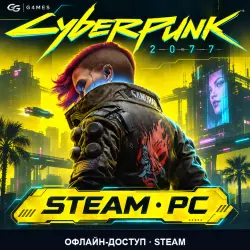
Cyberpunk 2077 | Steam | Offline for PC
Important notice
Any third-party trademarks, brand names, and product names referenced on this website are used solely to identify the relevant goods/services and, where applicable, to indicate intended purpose or compatibility. No affiliation, authorization, sponsorship, or endorsement by the trademark owners is implied unless expressly stated.
❗ FIRST STEAM LOGIN: enable “Remember me” / “Remember my details” before signing in. Keep the saved sign-in on your PC and stay signed in after activation.
🔐 STEAM GUARD FIRST
In your paid GGSEL order chat, send CODE when Steam displays the code field. After the first successful GAME launch to its main menu, send DONE.
Cyberpunk 2077: shared Steam account, offline single-player access for offline access., one Windows PC. Not a key, gift, account ownership transfer or multiplayer purchase. Your exact expiry date is sent with credentials.
Activation may be queued when accounts or Guard codes are unavailable; immediate activation is not guaranteed.Sign into Steam with the supplied credentials and keep sign-in saved. Download and update the game online, launch it once to the main menu, then close it. Then select Steam > Go Offline and play offline. Keep this Steam installation and saved login intact. Do not change credentials, security, linked accounts or profile settings; never share access or make purchases. Local saves only; cloud sync and device transfer are not promised. Repeat codes may become unavailable after initial activations; contact us before signing out, reinstalling or changing PC.
Game scope: Cyberpunk 2077. Base game / Standard Edition only; Phantom Liberty is not included in the advertised content.
Check PC requirements before paying. For help, send the error text in your order chat. Do not post credentials in reviews. Non-delivery or mismatch is handled in the order under GGSEL rules.
SUPPORT WARRANTY
Support warranty is provided for 30 calendar days from credential delivery in the order. If access stops working within this period while you follow the usage rules, contact us in the order chat: we will restore access or provide a replacement for the remaining period. For reactivation, message the seller in the order chat.
 Top up
 Games
 Discounts 90%
 AI
 Windows
 Subsctiptions
 New Games
 Mobile Games