
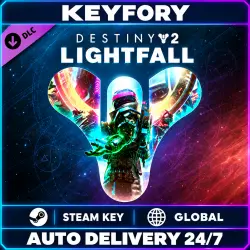
DLC Destiny 2: Lightfall — DLC | Steam Key | GLOBAL
Important notice
Any third-party trademarks, brand names, and product names referenced on this website are used solely to identify the relevant goods/services and, where applicable, to indicate intended purpose or compatibility. No affiliation, authorization, sponsorship, or endorsement by the trademark owners is implied unless expressly stated.
🌌 Destiny 2: Lightfall — Steam Activation Key
⚡ Automatic delivery 24/7
🌍 Activation region: GLOBAL
🔑 Product type: digital DLC key
💻 Platform: Steam
📦 DLC: Lightfall
⚔️ Travel to Neptune and join the battle for the neon city of Neomuna. Fight the Shadow Legion, meet the Cloud Striders, and master Strand — a subclass that lets you manipulate the threads of reality. Experience the story campaign solo or with your fireteam, and test your skills on Legendary difficulty.
📦 The expansion grants access to:
• The Lightfall story campaign
• Legendary campaign difficulty
• Unlocking the Strand subclass for each Guardian class
• Lightfall expansion quests and rewards
📩 After payment, you instantly receive a digital key to activate Destiny 2: Lightfall on your own Steam account.
📌 Important:
• This is downloadable content (DLC) and requires the Destiny 2 base game on Steam
• The Destiny 2 base game is free to play
• You are purchasing the standard Lightfall expansion
• The Annual Pass and Lightfall Dungeon Key are not included
• Unlocking the subclass and obtaining some rewards requires progressing through the content and completing in-game objectives
• You are purchasing a DLC activation key, not an account
• Other Destiny 2 expansions are not included
• Please check the game’s system requirements before purchasing
• A Steam account and an internet connection are required to activate and play the game
• The key can be redeemed once on a single account
• We recommend redeeming the key within 24 hours of purchase
• We recommend recording a video from purchase through activation
🔑 Activation:
1. Sign in to your account in the Steam client
2. Make sure Destiny 2 has been added to your library
3. Open “Games” → “Activate a Product on Steam”
4. Enter your key and follow the instructions
5. Once activated, the DLC will be linked to your account
⏱️ Automatic delivery is available 24/7
🕘 Support hours:
• 10:00–22:00 Moscow time (UTC+3)
💳 Refund policy:
• If the issue is our fault — a full refund or replacement
• If a refund is requested for reasons unrelated to our fault — a 25% fee applies
• No refunds after a valid, working product has been delivered
💬 If you have any questions, contact us via chat.
💚 KEYFORY
 Top up
 Games
Games Discounts 90%
 AI
AI Windows
 Subsctiptions
 New Games
 Mobile Games