
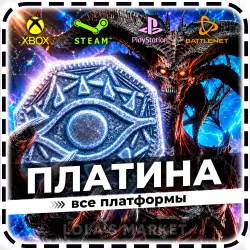
Diablo IV Platinum STEAM / BATTLE.NET / PS / XBOX
Important notice
Any third-party trademarks, brand names, and product names referenced on this website are used solely to identify the relevant goods/services and, where applicable, to indicate intended purpose or compatibility. No affiliation, authorization, sponsorship, or endorsement by the trademark owners is implied unless expressly stated.
About the product
💎 GLOBAL KEY FOR DIABLO IV PLATINUM 💎
━━━━━━━━━━━━━━━━━━━━━━━━━━━
📘 PRODUCT DESCRIPTION
━━━━━━━━━━━━━━━━━━━━━━━━━━━
🌍 Activation Region: Worldwide + Russia & CIS (no спец. ПО required)
🎮 Self-Activation: XBOX One / Series
🕹️ With Activation Service: Steam, Battle.NET, PlayStation 4 / 5
🚨 If you play on Steam, PlayStation, or Battle.NET,
you must purchase the service
“Activate Keys for Steam / PlayStation / Battle.NET”
and follow the activation instructions for your platform.
━━━━━━━━━━━━━━━━━━━━━━━━━━━
⚙️ INSTRUCTIONS
━━━━━━━━━━━━━━━━━━━━━━━━━━━
💙 If you play on Steam / PlayStation / Battle.NET:
1️⃣ Add the product activation service to your Steam / PlayStation / Battle.NET account (we can activate multiple keys on one account at once).
2️⃣ Link your Battle.net account with your XBOX account. To do this:
▪️ Log in to your account on the Battle.net website using your gaming account.
👉 If you play on Steam — log in via your Steam account.
👉 If you play on PlayStation — log in via your PSN account.
▪️ Go to the "Account Settings" → "Connections" section or use the direct link https://account.battle.net/connections and link your XBOX account (new or existing).
▪️ Set your XBOX account region to USA https://account.microsoft.com/profile?lang=en-US
3️⃣ After purchasing the product and activation service, contact the seller in the chat and provide:
💻 Xbox login: example@mail.ru
🔒 Xbox password: example123
🧩 Key (Platinum): PFD9Y-U636F-MQY2S-U4AL8-NJ5Y5
❌ Do not provide a one-time login code (a password is required)!
❌ Disable 2FA in your account settings before placing an order!
🕓 After that, please wait for the seller’s response on the order page (do not send any additional messages, as this may cause you to lose your place in the queue).
━━━━━━━━━━━━━━━━━━━━━━━━━━━
💚 If you play via XBOX console:
1️⃣ Log in to your XBOX account and set your region to United States (US)
2️⃣ Go to the link and redeem the received key https://redeem.microsoft.com
3️⃣ Launch the game — the Platinum will be automatically credited to your account
━━━━━━━━━━━━━━━━━━━━━━━━━━━
📜 IMPORTANT INFORMATION
━━━━━━━━━━━━━━━━━━━━━━━━━━━
✅ All keys are purchased directly from the official game publisher and cannot be activated before their release date.
📹 To avoid disputes, please record a continuous video from the moment you receive the product until its activation (claims without video proof will not be considered).
💰 After payment, refunds are not possible for any reason
(change of mind, wrong product, unread instructions or description, incorrect platform, incorrect activation data, lost account access, account ban, or any technical issues beyond the seller’s control, including delays caused by account-related problems).
━━━━━━━━━━━━━━━━━━━━━━━━━━━
⏱️ ORDER PROCESSING TIME
━━━━━━━━━━━━━━━━━━━━━━━━━━━
🗝️ The key is delivered instantly, and if you ordered the activation service, processing takes from 10 minutes to 24 hours, provided the data is correct.
━━━━━━━━━━━━━━━━━━━━━━━━━━━
🕒 WORKING HOURS
━━━━━━━━━━━━━━━━━━━━━━━━━━━
🚚 Automatic key delivery: available 24/7
💬 Operators (order processing & chat): 12:00 – 19:00 (UTC+3)
 Top up
 Games
Games Discounts 90%
 AI
AI Windows
 Subsctiptions
 New Games
 Mobile Games