
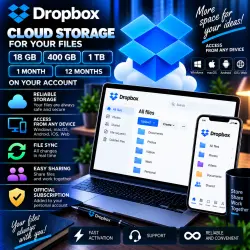
Dropbox 18GB/400GB/1TB 1/12 months to your account
Important notice
Any third-party trademarks, brand names, and product names referenced on this website are used solely to identify the relevant goods/services and, where applicable, to indicate intended purpose or compatibility. No affiliation, authorization, sponsorship, or endorsement by the trademark owners is implied unless expressly stated.
About the product
☁️ Dropbox — 16GB LIFETIME / 400GB / 1TB ON YOUR ACCOUNT
━━━━━━━━━━━━━━━━━━
📦 AVAILABLE OPTIONS
1️⃣ 16GB — LIFETIME
♾️ Additional storage with no expiration
🔗 Processing via your Dropbox referral link
⏳ Storage is added gradually — up to 7–14 days
📦 Maximum total referral storage — up to 18GB (2GB + 16GB)
2️⃣ 400GB — 2 / 12 MONTHS
📅 Available terms — 2 or 12 months
📧 Only your Dropbox account e-mail is required
⚡ Usually added within a few minutes during working hours
3️⃣ 1TB — 2 / 12 MONTHS
📅 Available terms — 2 or 12 months
📧 Only your Dropbox account e-mail is required
⚡ Usually added within a few minutes during working hours
━━━━━━━━━━━━━━━━━━
📦 YOU RECEIVE
✅ Additional Dropbox storage according to the selected option
✅ Storage added to your existing Dropbox account
✅ Your existing files and data remain on your account
✅ For 400GB / 1TB — addition to a Family group
✅ Seller support during processing
✅ Warranty for the stated period of the selected option
━━━━━━━━━━━━━━━━━━
♾️ IMPORTANT FOR 16GB LIFETIME
🔗 This option requires your Dropbox REFERRAL LINK, NOT your e-mail address.
⚠️ Before clicking the “BUY” button, paste your referral link into the “E-mail” field.
📈 Additional storage is credited gradually.
⏳ Full processing may take several days, up to 7–14 days.
📦 Standard option:
2GB base storage + up to 16GB additional storage = up to 18GB total.
⚠️ This option is intended for accounts that have not previously reached the maximum referral storage limit.
📌 If your account has already received referral storage, for example up to 8GB / 10GB, additional storage may only be added up to the maximum available limit.
🚨 Referral storage is limited by the eligibility and referral history of the specific Dropbox account and cannot be repeatedly added beyond the applicable limit.
━━━━━━━━━━━━━━━━━━
🔗 HOW TO FIND YOUR REFERRAL LINK FOR 16GB
🎥 Video Guide:
https://rutube.ru/video/private/9d511caf4cfe0628fa824360889be6ec/?r=wd&p=29S630jyZOW7RDgjk312Fw
1️⃣ Watch the instructions.
2️⃣ Find your Dropbox referral link.
3️⃣ Copy the full link.
4️⃣ Paste it into the “E-mail” field BEFORE purchasing.
5️⃣ Place your order.
6️⃣ Wait for the storage to be credited gradually.
⏳ Maximum stated processing time — 7–14 days.
━━━━━━━━━━━━━━━━━━
☁️ 400GB / 1TB — HOW IT WORKS
📧 For the 400GB / 1TB options, ONLY the e-mail address associated with your Dropbox account is required.
1️⃣ Select 400GB or 1TB and the required term.
2️⃣ Before clicking “BUY”, fill in the “E-mail” field.
3️⃣ Enter the e-mail linked to your Dropbox account.
4️⃣ After processing, your account is added to a Family group.
5️⃣ Check the available storage once processing is complete.
🔐 YOUR DROPBOX PASSWORD IS NOT REQUIRED.
⚡ During working hours, processing usually takes only a few minutes.
━━━━━━━━━━━━━━━━━━
👨👩👧👦 FAMILY GROUP & PRIVACY
🔒 Your personal files are not automatically shared with other members of the Family group.
⚠️ To keep your files private, DO NOT place confidential data in “Family”, “Shared” or other folders that have been explicitly shared with other users.
📂 Files placed in shared folders may be accessible to the corresponding members.
━━━━━━━━━━━━━━━━━━
🛡️ WARRANTY
✅ Temporary options are covered for the stated subscription period.
✅ For the 16GB option, support is provided during order processing and the stated storage-crediting period.
💬 If you experience an issue, contact the seller through your GGSEL order correspondence.
━━━━━━━━━━━━━━━━━━
⚠️ BEFORE PURCHASE
📌 16GB Lifetime — your REFERRAL LINK is required, not your e-mail.
📌 16GB is added gradually — up to 7–14 days.
📌 Maximum referral storage depends on the history and eligibility of your specific account.
📌 400GB / 1TB — only your Dropbox e-mail is required.
📌 Your password is NOT required for 400GB / 1TB.
📌 400GB / 1TB — provided through a Family group.
📌 Do not place confidential files in shared folders.
📌 Make sure you select the correct storage amount and term before payment.
━━━━━━━━━━━━━━━━━━
🕐 PROCESSING HOURS
⏰ Partner store working hours:
09:00–18:00 Moscow Time (MSK)
⚡ 400GB / 1TB — usually a few minutes during working hours.
⏳ 16GB — gradual storage crediting, up to 7–14 days.
━━━━━━━━━━━━━━━━━━
☁️ Dropbox
♾️ 16GB — LIFETIME
📦 400GB / 1TB
📅 2 / 12 MONTHS
👤 On Your Account
🔐 No Password Required for 400GB / 1TB
⏰ 09:00–18:00 MSK
 Top up
 Games
 Discounts 90%
 AI
 Windows
 Subsctiptions
 New Games
 Mobile Games