
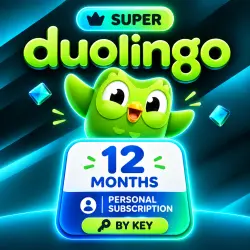
Duolingo Super 12 Months Personal Subscription
Important notice
Any third-party trademarks, brand names, and product names referenced on this website are used solely to identify the relevant goods/services and, where applicable, to indicate intended purpose or compatibility. No affiliation, authorization, sponsorship, or endorsement by the trademark owners is implied unless expressly stated.
🦉 DUOLINGO SUPER — 12 MONTHS
After placing your order, you will receive a digital code for a personalized 1-year Duolingo Super subscription.
Activation is done directly on your Duolingo account. You do not need to share your username, password, or account access with the seller.
🌍 ACTIVATION WITHOUT REGION CHANGE
To use the code, you do not need to change your account country or region, nor do you need to provide the seller with access to your account.
✅ DUOLINGO SUPER FEATURES
• Ad-free learning;
• Unlimited hearts during lessons;
• Personalized exercises to reinforce material and correct mistakes;
• Unlimited attempts to complete Legendary levels;
• Use your subscription on supported devices logged in to the same account;
• Save your progress, lesson series, XP, and achievements.
⚠️ IMPORTANT INFORMATION BEFORE PURCHASE
• One code activates one account.
• This product is an individual subscription; the Family plan is not available.
• Duolingo Max features and functionality, including additional AI tools, are not included in the subscription.
• You receive an activation code, not a ready-made account or an invitation to join a family group.
• Your account must not have an active Super or Duolingo Max subscription before activation.
• If your current subscription was purchased through the App Store, Google Play, or directly from Duolingo, you must wait until the current subscription period expires.
• The code is a one-time use: once successfully used, it cannot be reactivated or transferred to another account.
• Super does not unlock individual language courses or additional lessons; the learning content remains the same as the free version, with advertising and some other restrictions removed. • The availability of individual features and their appearance may vary depending on the course language, device, app version, and subsequent Duolingo updates.
🔑 ACTIVATION INSTRUCTIONS
1. Open a browser on your computer or smartphone.
2. Log in to the Duolingo account you plan to subscribe to.
3. Open the activation page:
https://www.duolingo.com/redeem
or use the link provided after purchase.
4. Select "Redeem" or "Claim offer."
5. After completing the activation process, check your account settings for the subscription.
If Super doesn't appear in the app immediately after activation, close Duolingo completely and log in again. Also, make sure the account you used in the mobile app is the one you applied the code to.
If Duolingo prompts you to purchase a paid subscription or add a credit card instead of activating, do not proceed with the payment. Take a screenshot of the message and contact the seller.
📌 USEFUL TIPS
• It is recommended to activate the code soon after receiving it.
• Before entering the code, carefully check that you are logged in to the correct account.
• Do not post the received code in reviews, comments, or other places accessible to third parties.
↩️ REFUNDS / REPLACEMENTS
Once the digital code has been transferred and disclosed, returns or exchanges are not possible if the code is valid and matches the product's stated specifications.
A previously active subscription, using the code on a different account, or not following the activation instructions do not constitute a defect in the digital product.
If the code is invalid on your first attempt to activate it, do not publish a review immediately. First, contact the seller and provide documentation confirming the issue.
 Top up
 Games
Games Discounts 90%
 AI
AI Windows
 Subsctiptions
 New Games
 Mobile Games