
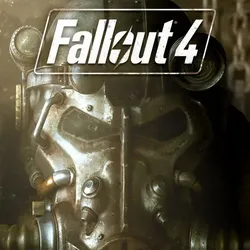
Rent ❤️🎮 Fallout 4 XBOX ONE & Xbox Series X|S - Guarantee🥇✅
Important notice
Any third-party trademarks, brand names, and product names referenced on this website are used solely to identify the relevant goods/services and, where applicable, to indicate intended purpose or compatibility. No affiliation, authorization, sponsorship, or endorsement by the trademark owners is implied unless expressly stated.
Immediately after payment you get access(Login and Password)to the licensed game account for Xbox One and Xbox Series X|S
🎁10% CASHBACK - After purchasing for a positive review you will receive a gift card!The gift card will be issued automatically!
🔥Why is it worth choosing us?
✅Hundreds of positive reviews from satisfied customers
✅More than 90% of customers become our permanent customers/>✅Current Delivery
✅100% legal games
✅Access to the purchased account remains forever
✅Available price
✅Discount to permanent buyers
✅Guaranteed support/attention>
🎮Account for Xbox One and Xbox Series X|S with the game:
- Fallout 4
🎁A positive review card + 15% discount for the next purchase!
Installation of the account at your console:
1.Go to the purchased profile, click on"fighting"We press"Adding a new player"We enter the purchased data(Login and Password).
2.If you need to approve the entry, write to the seller to obtain the security code.
3.Access and Security Parameters - Select"Without restrictions".
4.Download the game(We enter in"My games and applications"or in"The XBOX Store"and get"Downloads").
5.The purchased account from the console is not deleted.
Video Instructions to Start the Game: youtu.be
No additional mail is provided.The account is common and serves only to launch the game.
Attention!
- The Seller is not liable for system updates of the console, which may result in changes in the work of the account/>Forbidden to sell/to exchange/Transfer data from the account to third parties!
You can't make a home account
You cannot change any account data/>- Can not change the region or protection information
You can’t access the Xbox website.com (For security reasons)
- No additional mail is provided
It requires a constant internet connection
- The account is not your property
- The game online can work unstable, the account is designed for the game in offline mode.
For violation of the rules you will be deprived of access to the account without refund of the paid funds!
The replacement of goods shall only be made in the following cases::
- Not true login or password
The product does not comply with the description
Replacement of goods is not made:
- "by coincidence"I did not buy the goods/>I didn’t like(Issue)The profile of the game
- Violation of the rules by using the profile
The money is not returned, only the account can be replaced/attention>
During the game you sometimes"throwing out"From the game process, try to enter the game later.Any claims in this case are not accepted/attention>
***After acquiring an account, you automatically agree to the seller’s terms and conditions described in the instructions.***
🎁10% CASHBACK - After purchasing for a positive review you will receive a gift card!The gift card will be issued automatically!
🔥Why is it worth choosing us?
✅Hundreds of positive reviews from satisfied customers
✅More than 90% of customers become our permanent customers/>✅Current Delivery
✅100% legal games
✅Access to the purchased account remains forever
✅Available price
✅Discount to permanent buyers
✅Guaranteed support/attention>
🎮Account for Xbox One and Xbox Series X|S with the game:
- Fallout 4
🎁A positive review card + 15% discount for the next purchase!
Installation of the account at your console:
1.Go to the purchased profile, click on"fighting"We press"Adding a new player"We enter the purchased data(Login and Password).
2.If you need to approve the entry, write to the seller to obtain the security code.
3.Access and Security Parameters - Select"Without restrictions".
4.Download the game(We enter in"My games and applications"or in"The XBOX Store"and get"Downloads").
5.The purchased account from the console is not deleted.
Video Instructions to Start the Game: youtu.be
No additional mail is provided.The account is common and serves only to launch the game.
Attention!
- The Seller is not liable for system updates of the console, which may result in changes in the work of the account/>Forbidden to sell/to exchange/Transfer data from the account to third parties!
You can't make a home account
You cannot change any account data/>- Can not change the region or protection information
You can’t access the Xbox website.com (For security reasons)
- No additional mail is provided
It requires a constant internet connection
- The account is not your property
- The game online can work unstable, the account is designed for the game in offline mode.
For violation of the rules you will be deprived of access to the account without refund of the paid funds!
The replacement of goods shall only be made in the following cases::
- Not true login or password
The product does not comply with the description
Replacement of goods is not made:
- "by coincidence"I did not buy the goods/>I didn’t like(Issue)The profile of the game
- Violation of the rules by using the profile
The money is not returned, only the account can be replaced/attention>
During the game you sometimes"throwing out"From the game process, try to enter the game later.Any claims in this case are not accepted/attention>
***After acquiring an account, you automatically agree to the seller’s terms and conditions described in the instructions.***
🔔Instructions for adding an account to the console:
1.As we are in our personal account, we press the central Guide button on the gamepad, we go to the "Profile and system" section, we select "Add or Change" and then "Add new" section(Do not confuse with “Add guests”!).
2.Enter login and password.Attention:If a login error is made, the system will start the process of creating a new empty account.To avoid this, go back to the previous step and enter the login again.
3.Important.To confirm your login, you may be required to enter the security code sent to the linked third party email.Select any of the proposed email addresses in the falling list and click "Next" - the code will be sent to the specified email.Then contact the seller via https://oplata.infoHe will tell you the code.Please wait for the seller's answer - it usually does not take more than 12 hours.
If the seller’s response is delayed, you don’t need to constantly be in front of the screen waiting for the code.You can leave the account adding process and, when you get a reply from the seller, start the process again.In the entry step, simply select "I have a code" and enter it.The code is usually valid for a few hours.
4.The step "When sending data to publishers" will be displayed - select the "Next" section.
5.Stage(Not always displayed):
“Hello you,[Tag of purchased account]!We found the parameters of the latest Xbox account.Apply them now?”
Select the obligatory item "Thank you, don't need".
5.Step "Entry and Safety Parameters" - select BUSINESS "WITHOUT LIMITATIONS".
6.The step "How to enter" - we choose the BUSINESS item "Forget".
7.Step "Create this Xbox Home Console" - select the item "Maybe later".
8.Stage “You got the code”?Choose the point “I don’t have”.
✅The process of adding the account to the console is completed.
🔔Instructions for downloading games:
1.enter the purchased account, t.to.In the previous stages when adding an account, the system could dissolve you from the account.
2.The window will appear to extend screen time?Just close the window or select “Follow”.
3.Although it may seem that nothing has changed and you are still simply logged in in your personal account, you will now have the opportunity to download the game from the Microsoft Store.
4.Go to the Microsoft Store and use the search for the name of the purchased game.Go to the page of the game, select "Install".
5.The game is downloaded without any problems with your personal account.
🔔Before downloading the game, consider the following::
Some games, released from 2022, may not be available in the Russian Microsoft Store.In this case, you can switch to any other region, to do this, go to the main section of the "Parameters" console settings, then "System" - "Language and location" and in the falling "Location" list select the desired country, then the system will offer you to reboot the console.
Consider that the presence of Russian localization in the game may depend on the region in which it was installed.Before changing the region and downloading the game, we recommend checking the localization for the required language.Information about the supported languages is usually available on the game page in the Microsoft Store or on the website https://xbox.comin the form of a table.If such a table is not available, we recommend contacting another official/third-party sources to obtain information about localization.For example, Russian localization is often available in the region of Poland.
1.As we are in our personal account, we press the central Guide button on the gamepad, we go to the "Profile and system" section, we select "Add or Change" and then "Add new" section(Do not confuse with “Add guests”!).
2.Enter login and password.Attention:If a login error is made, the system will start the process of creating a new empty account.To avoid this, go back to the previous step and enter the login again.
3.Important.To confirm your login, you may be required to enter the security code sent to the linked third party email.Select any of the proposed email addresses in the falling list and click "Next" - the code will be sent to the specified email.Then contact the seller via https://oplata.infoHe will tell you the code.Please wait for the seller's answer - it usually does not take more than 12 hours.
If the seller’s response is delayed, you don’t need to constantly be in front of the screen waiting for the code.You can leave the account adding process and, when you get a reply from the seller, start the process again.In the entry step, simply select "I have a code" and enter it.The code is usually valid for a few hours.
4.The step "When sending data to publishers" will be displayed - select the "Next" section.
5.Stage(Not always displayed):
“Hello you,[Tag of purchased account]!We found the parameters of the latest Xbox account.Apply them now?”
Select the obligatory item "Thank you, don't need".
5.Step "Entry and Safety Parameters" - select BUSINESS "WITHOUT LIMITATIONS".
6.The step "How to enter" - we choose the BUSINESS item "Forget".
7.Step "Create this Xbox Home Console" - select the item "Maybe later".
8.Stage “You got the code”?Choose the point “I don’t have”.
✅The process of adding the account to the console is completed.
🔔Instructions for downloading games:
1.enter the purchased account, t.to.In the previous stages when adding an account, the system could dissolve you from the account.
2.The window will appear to extend screen time?Just close the window or select “Follow”.
3.Although it may seem that nothing has changed and you are still simply logged in in your personal account, you will now have the opportunity to download the game from the Microsoft Store.
4.Go to the Microsoft Store and use the search for the name of the purchased game.Go to the page of the game, select "Install".
5.The game is downloaded without any problems with your personal account.
🔔Before downloading the game, consider the following::
Some games, released from 2022, may not be available in the Russian Microsoft Store.In this case, you can switch to any other region, to do this, go to the main section of the "Parameters" console settings, then "System" - "Language and location" and in the falling "Location" list select the desired country, then the system will offer you to reboot the console.
Consider that the presence of Russian localization in the game may depend on the region in which it was installed.Before changing the region and downloading the game, we recommend checking the localization for the required language.Information about the supported languages is usually available on the game page in the Microsoft Store or on the website https://xbox.comin the form of a table.If such a table is not available, we recommend contacting another official/third-party sources to obtain information about localization.For example, Russian localization is often available in the region of Poland.
 Top up
 Games
Games Discounts 90%
 AI
AI Windows
 Subsctiptions
 New Games
 Mobile Games