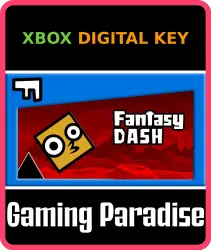
Fantasy Dash Xbox Series X|S Key
Important notice
Any third-party trademarks, brand names, and product names referenced on this website are used solely to identify the relevant goods/services and, where applicable, to indicate intended purpose or compatibility. No affiliation, authorization, sponsorship, or endorsement by the trademark owners is implied unless expressly stated.
About the product
🌎 Region: selected in the region option below (the price depends on the region)
🔑 Type: Key
🖥 Platform:
✅Xbox Series S|X🎮🔥 OPTIMIZED
Fantasy Dash is a very cool running game. The game is divided into four difficulty levels with a total of 72 levels. You need to control the character to run or fly and reach the end. The road is full of thorns and obatacles. It requires you to react quickly to avoid obstacles and collect stars. Stars can redeem skins for your characters in the shop. Let's go. Have fun!Xbox Controller & Gamepad Supported*Use arrow keys to move focus.*Press B to go back.*Press View/Menu to pause the game.*Press A to select.*Hold A to control the character to jump or fly.Keyboard Supported*Use arrow keys to move focus.*Press B to go back.*Press P to pause the game.*Press Enter to select.*Hold Space/Enter to control the character to jump or fly.Touch & Mouse Supported*Just touch or click.
⚡️ AUTOMATIC DELIVERY 24/7
After payment the key appears instantly on the order page.
ℹ️ Important Notice:
The game stays on your Microsoft account forever. To activate, your IP must match the key's region — turn on special software (IP change) for that country. You do NOT need to change your account region. After activation no special software is needed — play from any location.
⚠️ Instructions:
1. Turn on special software (IP change) for the key's country
2. Go to xbox.com/en-US/redeem, click Redeem Now and enter the key
3. The error "This code can't be redeemed. It was purchased in a different region from your account" means your IP doesn't match the key's region — switch to the correct country and try again
4. If the game doesn't appear in your library after activation, switch your console region to the key's region, open the Store: the button will say "install" instead of "buy"
🛡 Guarantee:
Licensed key purchased directly from Microsoft Store. Full support in the order chat. Don't want to activate yourself or having trouble? Order our activation service: https://ggsel.net/catalog/product/102610323
↩️ About returns:
No refund once the code has been revealed — you already know the code. No refund for "bought by mistake / changed my mind / bought by accident".
 Top up
 Games
Games Discounts 90%
 AI
AI Windows
 Subsctiptions
 New Games
 Mobile Games