
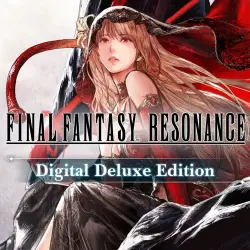
FINAL FANTASY RESONANCE DIGITAL DELUXE EDITION | ALL ADD-ONS AND BONUSES | STEAM | FOR PC
Important notice
Any third-party trademarks, brand names, and product names referenced on this website are used solely to identify the relevant goods/services and, where applicable, to indicate intended purpose or compatibility. No affiliation, authorization, sponsorship, or endorsement by the trademark owners is implied unless expressly stated.
✅IMPORTANT POINTS✅
🌍 🌍 Region-free – the game can be launched in ANY COUNTRY, including Russia, Ukraine, and anywhere else in the world!
✔️ After payment, you will receive a Steam account for offline play; all your progress is stored locally on your PC, and no one will interrupt your gaming session.
✔️ You can log in to the account yourself—no seller assistance required. If Steam Guard is enabled, you will receive the login code automatically, with no need to download any additional software.
✔️ You can update the game at any time.
⌛️ If you have any questions, feel free to ask via the seller chat. ⌛️
⌛️ There is no time limit—play whenever you want, for as long as you like! ⌛️
⭐️ With this purchase, you receive:
🎮 1) Steam account credentials for *FINAL FANTASY RESONANCE Digital Deluxe Edition* (including ALL DLC) for offline play. All save files are stored on your PC, ensuring an uninterrupted gaming experience.
Included in the *FINAL FANTASY RESONANCE Digital Deluxe Edition* and pre-order bonuses:
☑️ The base game, *FINAL FANTASY RESONANCE*;
☑️ The *Magitek & Grimoire Deluxe Pack*, which contains:
- Magitek Armor Key x1;
- Archwitch’s Grimoire x1;
- Mastery Ring x1;
- Tent x5;
- Mist Potion x5;
- Mist Ether x5;
- Phoenix Down x5;
- Remedy x3.
🎮 2) Instructions for game activation:
1. Log in to the Steam account using the provided credentials;
2. Download the game from the library;
3. Launch the game once while online to reach the main menu, then exit. 4. Switch the Steam client to offline mode (detailed instructions on how to do this are provided);
5. Play.
✅ADDITIONAL INFORMATION✅
1) Switching between accounts (from mine to yours and vice versa) does not require a code, meaning you can always return to the account containing the game;
2) Support provided for resolving any technical issues you may encounter;
3) Activation is performed without the use of any third-party software;
4) You are free to update Windows or change your hardware components;
5) You can update the game;
6) You must follow the instructions precisely and strictly adhere to them.
 Top up
 Games
Games Discounts 90%
 AI
AI Windows
 Subsctiptions
 New Games
 Mobile Games