
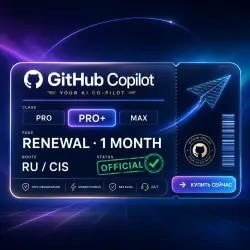
GitHub Copilot Pro/Pro+/Max — 1-Month Renewal | Official, No Ban RU/CIS
Important notice
Any third-party trademarks, brand names, and product names referenced on this website are used solely to identify the relevant goods/services and, where applicable, to indicate intended purpose or compatibility. No affiliation, authorization, sponsorship, or endorsement by the trademark owners is implied unless expressly stated.
About the product
💻 GitHub Copilot Pro / Pro+ / Max — 1-month renewal on YOUR account
⚡ Official, fast and safe. No new account needed.
✅ Why buy here:
• Official renewal — 0% ban risk, no "grey" methods
• Works with new and existing accounts
• We renew the same account every month — you lose nothing
• No спец. ПО needed, works right away
• Had a student / education plan? We activate it fine
🚀 Plans (GitHub's model — AI Credits):
• Pro — 1,500 credits/mo
• Pro+ — 7,000 credits/mo + premium models (Opus etc.)
• Max — 20,000 credits/mo + full premium model access
💡 Code completions and Next Edit are unlimited — they don't use credits.
📋 How it works:
1. Choose your plan and place the order
2. Send your account details in the order chat
3. We activate officially — usually the same day
🛡 Warranty for the full period (30 days), support in chat.
No account? Message us — we'll set one up.
❓ Questions? Write in "Chat with seller" — we reply fast.
🔐 New to 2FA? Step-by-step guide (RU/EN):
https://docs.google.com/document/d/1eFPmd3evp0v-8zEhKfIKowgkrVBiudhUZ522tQaEbS8/edit
📌 After payment, send in "Chat with seller":
1. The unique 16-digit code from your order page — it confirms your payment.
2. Your GitHub details: email, password, and the setup key (from the 2FA guide above).
⏱ Activation usually 1–12 hours. The sooner you send the details, the sooner we activate.
🔒 Your details are used only to activate the subscription. No refund after activation. GitHub-side suspensions/limits aren't covered, as you manage the account.
 Top up
 Games
Games Discounts 90%
 AI
AI Windows
 Subsctiptions
 New Games
 Mobile Games