
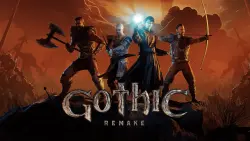
Gothic 1 Remake Offline +400 Games
Important notice
Any third-party trademarks, brand names, and product names referenced on this website are used solely to identify the relevant goods/services and, where applicable, to indicate intended purpose or compatibility. No affiliation, authorization, sponsorship, or endorsement by the trademark owners is implied unless expressly stated.
A list of all the games on the account: https://docs.google.com/document/d/1DNT13fjd9yhVsM5-BMciIv6ds9zpce6iYnY_R_Hs5d4/edit?usp=sharing
Offline activation is an opportunity to play without the Internet using the steam account provided by me. 💚🎮
, Instructions for activating the game 🟢🟢
━━━━━━━━━━━━━━━━━━━━━━━━━━━━━━
1. Install Steam.
2. Log in to Steam using the provided credentials.
If error 50 is a steam bug after logging in, restart Steam and log in again after a while.
3. Be sure to check the "Remember my credentials" box to avoid Steam Guard requests.
4. Download and install the game from the Steam library.
5. Click on the game menu → "Properties" → disable "Steam Cloud Sync".
6. Launch the game online once before the main menu and exit.
7. Turn Steam offline (top left → "Go offline").
8. Launch the game and play.

 Top up
 Games
Games Discounts 90%
 AI
AI Windows
 Subsctiptions
 New Games
 Mobile Games