
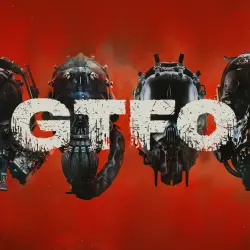
GTFO STEAM KEY RU-CIS-CN
Important notice
Any third-party trademarks, brand names, and product names referenced on this website are used solely to identify the relevant goods/services and, where applicable, to indicate intended purpose or compatibility. No affiliation, authorization, sponsorship, or endorsement by the trademark owners is implied unless expressly stated.
You are purchasing a licensed digital game key.
The key will be delivered AUTOMATICALLY immediately after payment.
---
🎮 **General Information**
• Product Type: Digital Key
• Activation Platform: Steam
• Activation Region: Armenia, Azerbaijan, Belarus, China, Georgia, Kyrgyzstan, Kuwait, Moldova, Qatar, Russia, Tajikistan, Turkmenistan, Uzbekistan
• Game Language: As per Steam settings
---
📝 **Description**
A mysterious entity known as "The Warden" holds you and your companions captive, forcing you to participate in a "Campaign" governed by a constantly shifting "Rundown"—a series of challenges set within a ruined research facility called "The Complex." Navigate deeper through levels teeming with terrifying creatures. Scavenge for tools and resources essential for your survival and progress. Overcome every challenge to complete the Rundown and finish the Campaign.
Be warned: GTFO is no ordinary corridor shooter; it is a game designed for those ready for a high-stakes experience.
4-Player Cooperative Gameplay
GTFO sessions are built for a team of four, demanding a high level of coordination from every player. If you are short one or two teammates, AI-controlled characters will fill the gaps. They will follow your lead, take cover when you do, gather resources, and provide fire support. However, do not expect miracles from these "bots"—if you want the full, intense experience, it is best to play with real human partners. ---
✨ **Benefits**
✅ Official licensed key
✅ Instant, automated delivery
✅ The game remains in your account permanently
---
🛠 **How to activate a key on Steam**
1. Launch Steam and log in to your account (or create a new one).
2. In the top menu, select "Games" → "Activate a Product on Steam."
3. Enter the key you received and confirm the activation.
Once done, the game will appear in your library—you’re all set to start playing! 🎉
---
⚠️ **Important**
• Before purchasing, please ensure that your region is eligible for activation.
• Our support team is always available and happy to help.
 Top up
 Games
 Discounts 90%
 AI
 Windows
 Subsctiptions
 New Games
 Mobile Games