
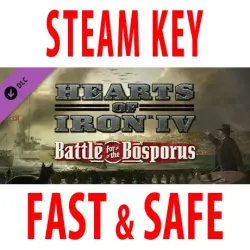
DLC Hearts of Iron IV: Battle for the Bosporus (STEAM KEY) RU+CIS
Important notice
Any third-party trademarks, brand names, and product names referenced on this website are used solely to identify the relevant goods/services and, where applicable, to indicate intended purpose or compatibility. No affiliation, authorization, sponsorship, or endorsement by the trademark owners is implied unless expressly stated.
⚠️ ATTENTION! The Steam version of Hearts of Iron IV is required to play.
Publication Type: STEAM KEY / RU / UA / KZ / CIS
⚠️ ATTENTION! This key can only be activated on a Steam account registered in Russia, Ukraine, Kazakhstan, and other CIS countries.
🔹 Game Language: Russian (interface) / English
🔹 Release Date: October 15, 2020
🔹 Platform: Windows
🔹 Region: RU / UA / KZ / CIS (Russia, Ukraine, Kazakhstan, and other CIS countries)
🔹 Activation: Steam
============================================
The Hearts of Iron IV Country Pack adds national focus trees for the minor nations of the Black Sea and Aegean coasts. Now Bulgaria, Greece, and Turkey can confront the major players trying to conquer the strategically important Bosphorus and Dardanelles straits. Repeat the historical path or choose your own!
• National Focus Tree for Bulgaria. Restore balance between the different factions in a divided country or reclaim territories lost in 1919. Form an alliance with Germany, as happened in real history, or try to resist German pressure on Tsar Boris III and build a free Bulgaria.
• National Focus Tree for Greece. Greece is torn by political divisions. Only the highly controversial leader Ioannis Metaxas keeps it neutral. Build strong relations with the Allies under King George II, support the arch-conservative party and fascism, or recreate the great Greek Empire in the east.
• National Focus Tree for Turkey. Following the Great War, Turkey lost its status as an empire. What future awaits it now? Continue or halt the Kemalist reforms, act as a defender of the Balkans in a new regional faction, restore the sultanate, or establish a new Islamic state.
• New music tracks.
• New 3D soldier models for the Balkan and Turkish armies.
• Unique voiceovers for Bulgarian, Greek, and Turkish characters.
=========================================
Activation
1. Download and install Steam http://steampowered.com/download/SteamInstall.msi (if not already installed)
2. Launch the Steam client
3. Create a new Steam account or log in to an existing one
4. Go to the "Games" section and select "Activate on Steam"
5. Enter the activation key you purchased
 Top up
 Games
Games Discounts 90%
 AI
AI Windows
 Subsctiptions
 New Games
 Mobile Games